> ## Documentation Index
> Fetch the complete documentation index at: https://docs.runway.com/llms.txt
> Use this file to discover all available pages before exploring further.
# Pages basics
> Pages are a flexible and fully customizable canvas where you can bring different elements from across your model together in one place. Whether you're creating an investor report or collaborating with department heads, pages are the perfect tool for the job.
## Creating a page
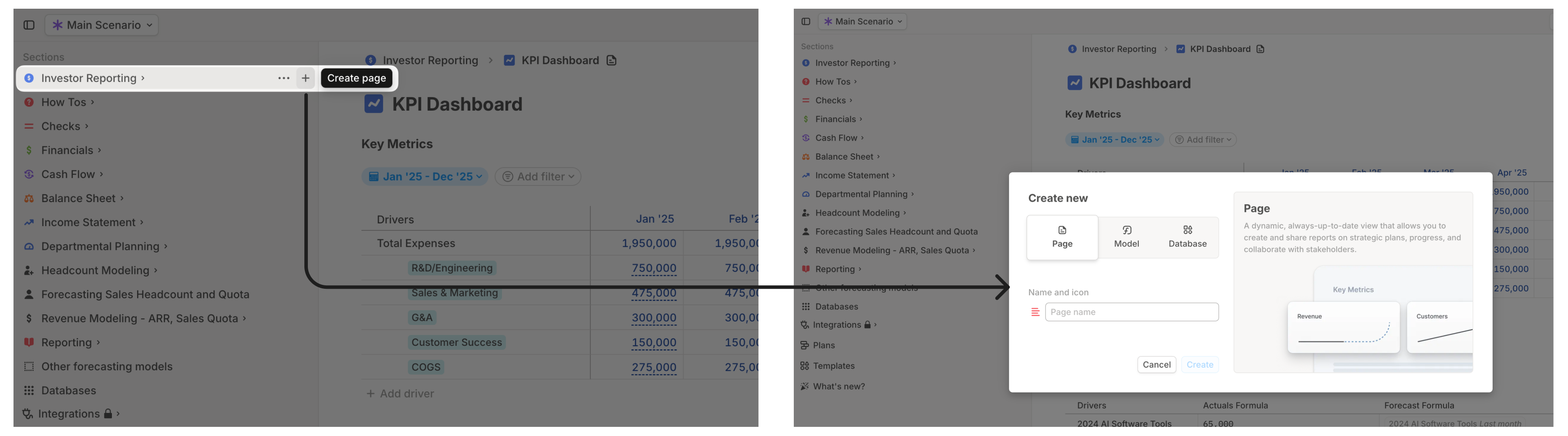
To create a new page, follow these steps:
1. Click the **+** next to any section, model, database, or another page. This would allow you to create a page nested within where you clicked on the + button.
2. Type a name for your page and, optionally, change the icon.
 ## Adding a block to a page
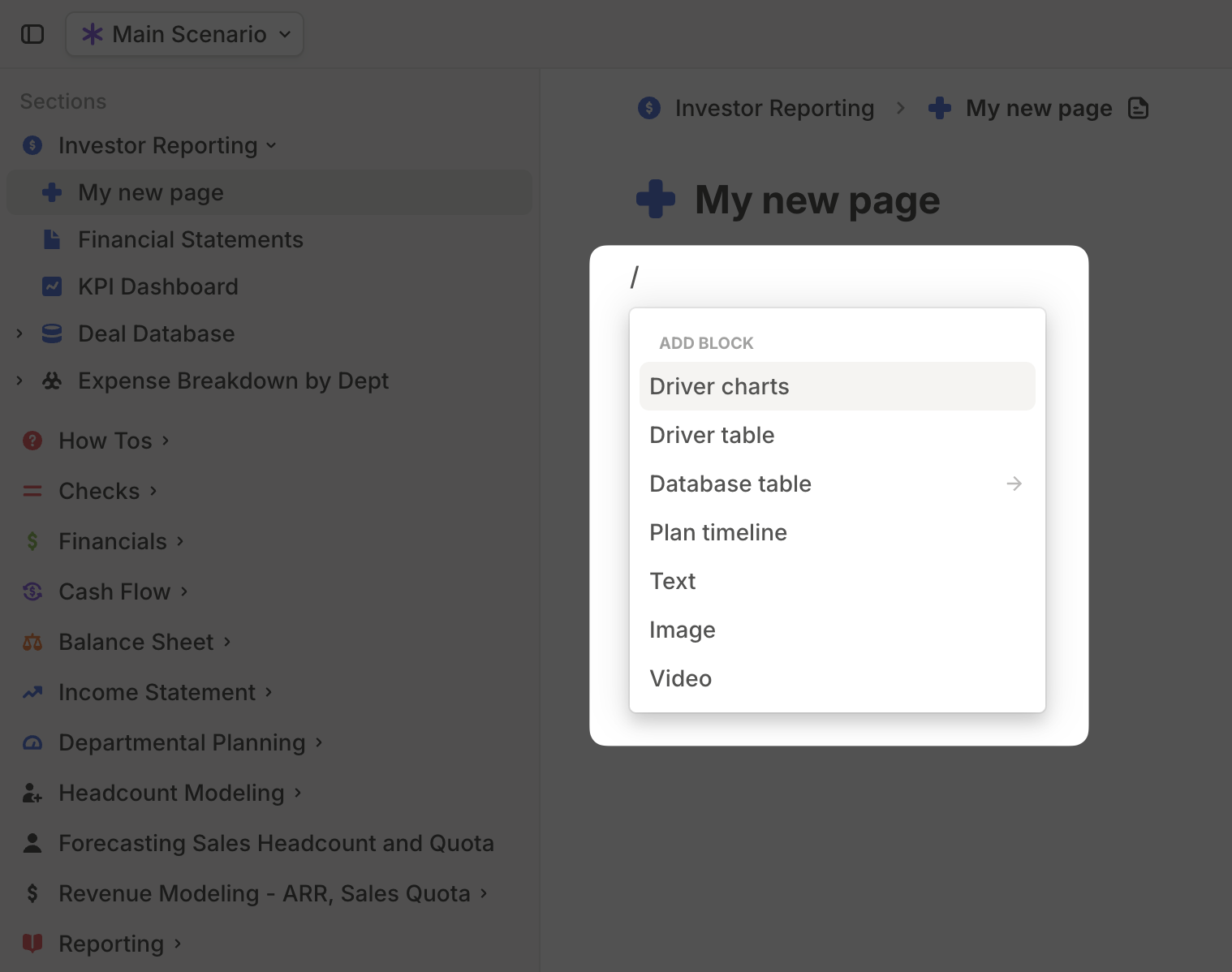
Now that you have a blank page, you can start building content by adding **blocks**.
Type **/** to access block options:
* [**Driver charts**](https://docs.runway.com/concepts/pages/charts-block) – Visualize relevant drivers from anywhere in Runway as charts. Choose from various chart types, including **line, column, stacked, combo, waterfall, and value charts**.
* [**Driver table**](https://docs.runway.com/concepts/pages/drivers-table-block) – Display a subset of drivers in a tabular format.
* [**Database table**](https://docs.runway.com/concepts/pages/database-block) – Bring any existing database into a page. You can **apply filters** to show only the relevant data.
* [**Plan timeline**](https://docs.runway.com/concepts/plans#surfacing-plans-in-pages) – Create a timeline of your Plans and apply filters to limit which ones appear on your page.
* [**Text**](https://docs.runway.com/concepts/pages/text-media-block#text-block) – Add **text** anywhere on the page. You can also reference driver values by typing **@**, followed by the driver name, and selecting **Value on date.** Runway keeps these values updated automatically.
* [**Image**](https://docs.runway.com/concepts/pages/text-media-block#image-block) – Upload an image directly or embed one from a URL.
* [**Video**](https://docs.runway.com/concepts/pages/text-media-block#video-block) – Upload a video file or embed videos from **Loom, YouTube,** or other links.
## Adding a block to a page
Now that you have a blank page, you can start building content by adding **blocks**.
Type **/** to access block options:
* [**Driver charts**](https://docs.runway.com/concepts/pages/charts-block) – Visualize relevant drivers from anywhere in Runway as charts. Choose from various chart types, including **line, column, stacked, combo, waterfall, and value charts**.
* [**Driver table**](https://docs.runway.com/concepts/pages/drivers-table-block) – Display a subset of drivers in a tabular format.
* [**Database table**](https://docs.runway.com/concepts/pages/database-block) – Bring any existing database into a page. You can **apply filters** to show only the relevant data.
* [**Plan timeline**](https://docs.runway.com/concepts/plans#surfacing-plans-in-pages) – Create a timeline of your Plans and apply filters to limit which ones appear on your page.
* [**Text**](https://docs.runway.com/concepts/pages/text-media-block#text-block) – Add **text** anywhere on the page. You can also reference driver values by typing **@**, followed by the driver name, and selecting **Value on date.** Runway keeps these values updated automatically.
* [**Image**](https://docs.runway.com/concepts/pages/text-media-block#image-block) – Upload an image directly or embed one from a URL.
* [**Video**](https://docs.runway.com/concepts/pages/text-media-block#video-block) – Upload a video file or embed videos from **Loom, YouTube,** or other links.
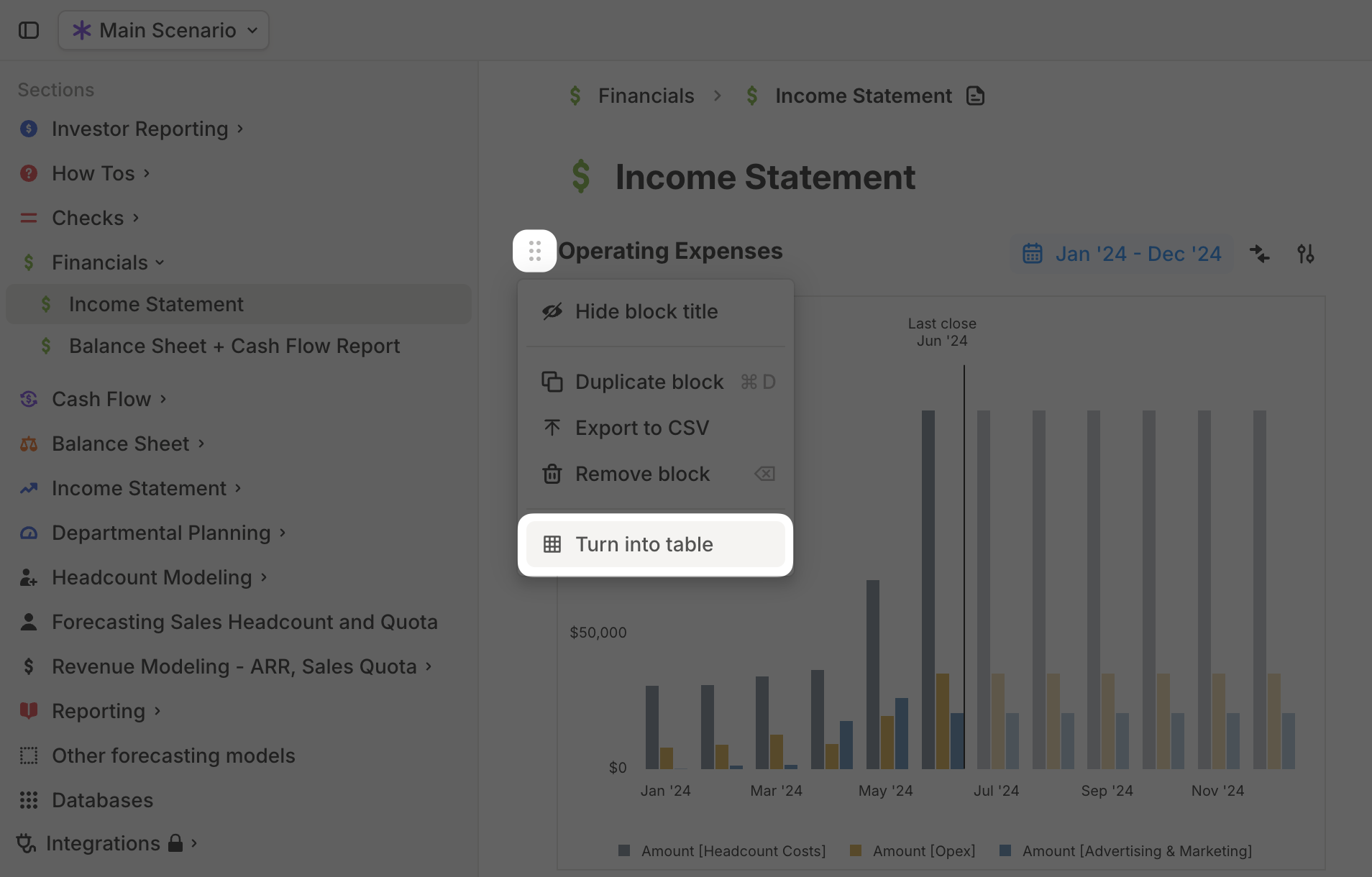
 You can **switch between a Driver chart block and a Driver table block** at any time.
To do this, click the **six-dot button** on the left of the block, then select **Turn into table** or **Turn into chart.**
You can **switch between a Driver chart block and a Driver table block** at any time.
To do this, click the **six-dot button** on the left of the block, then select **Turn into table** or **Turn into chart.**
 ## Arranging blocks
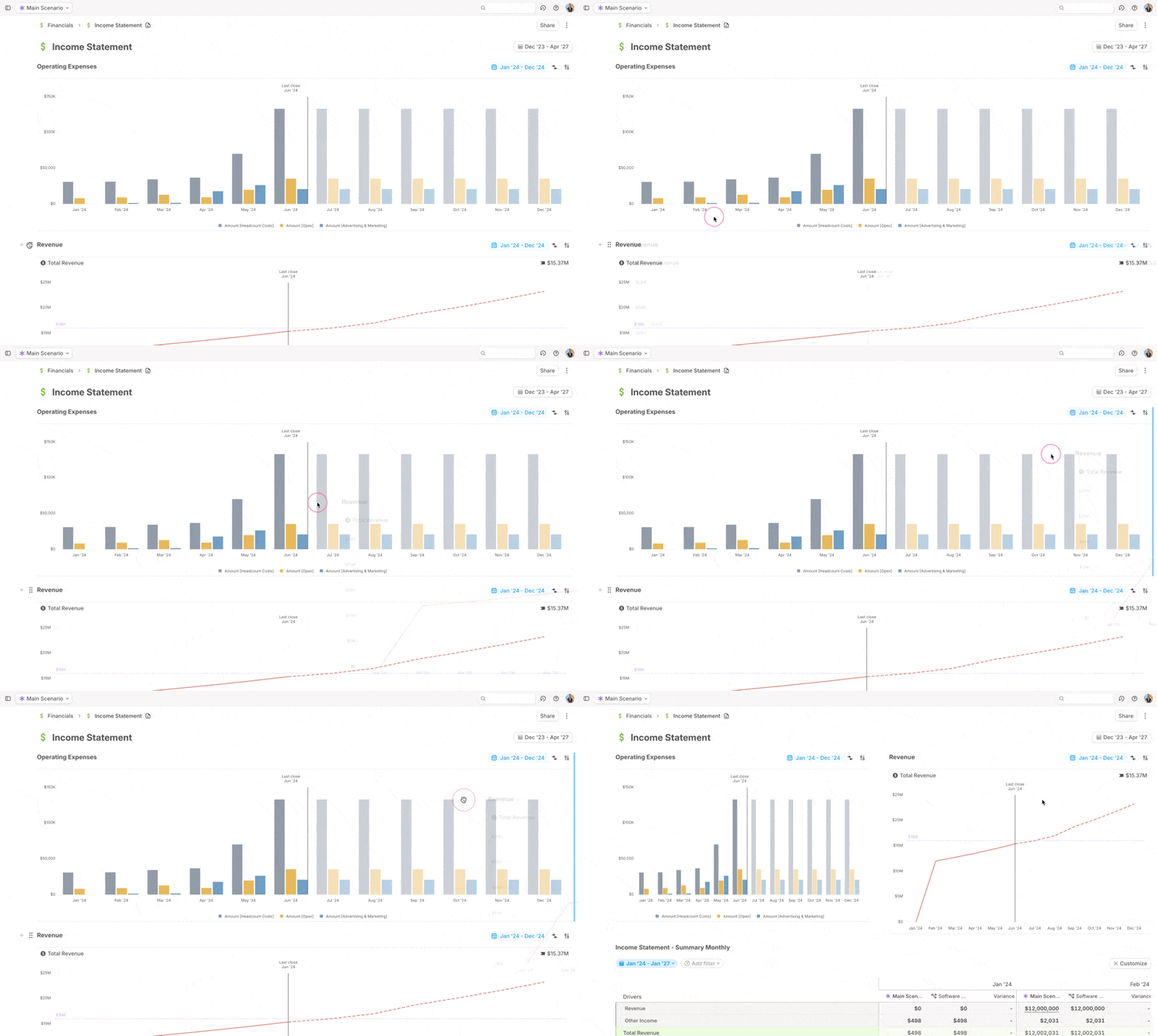
Pages are designed to be **flexible**, allowing you to structure content in a way that best tells your story and organizes information effectively.
Drag a block using the **six-dot button** on the left to move it **before, after, or next to** another block.
## Arranging blocks
Pages are designed to be **flexible**, allowing you to structure content in a way that best tells your story and organizes information effectively.
Drag a block using the **six-dot button** on the left to move it **before, after, or next to** another block.
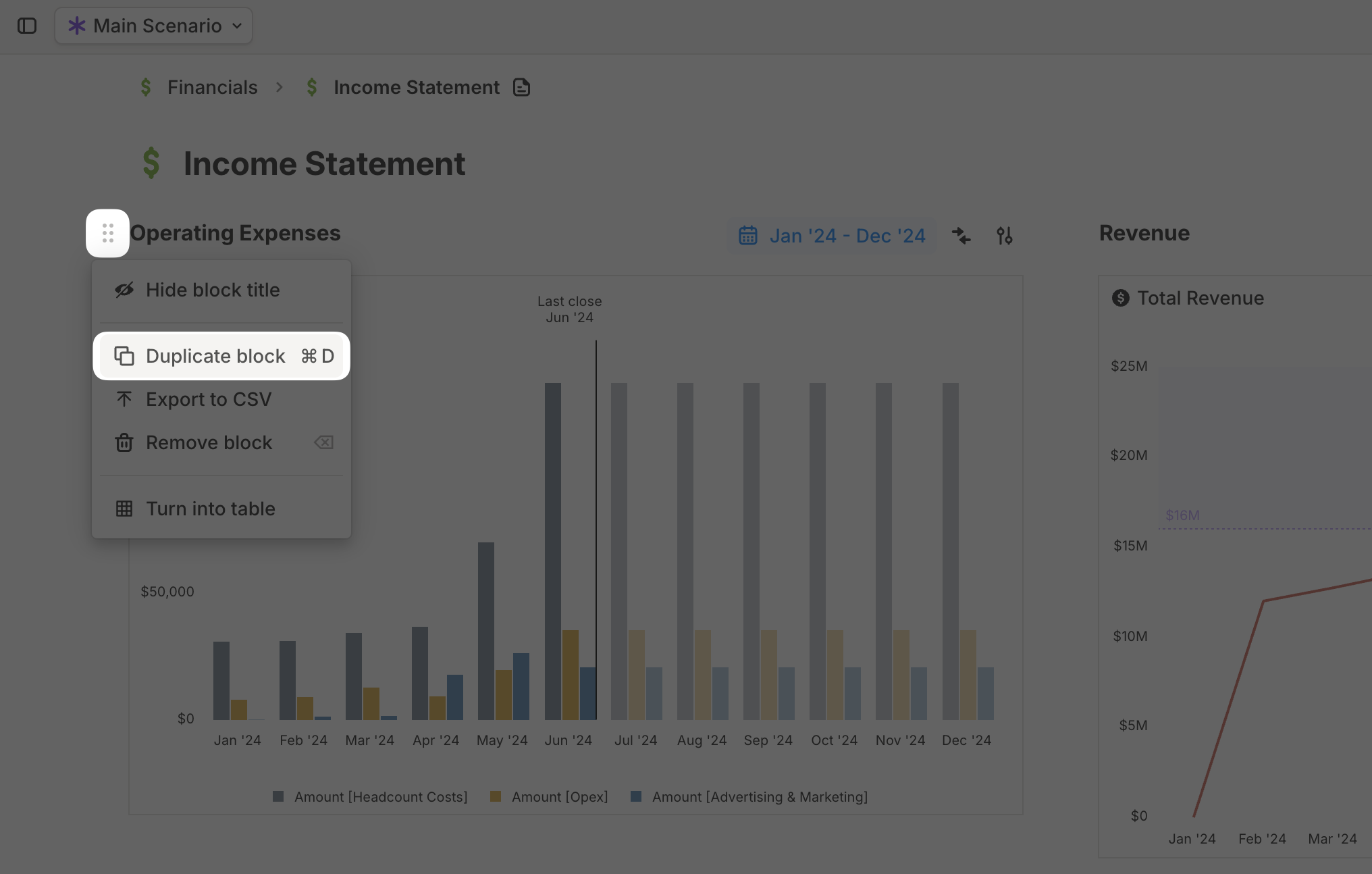
 If you need to create a new block similar to an existing one, you can duplicate it instead of starting from scratch. Click the **six-dot button** on the left of the block, then select **Duplicate block**.
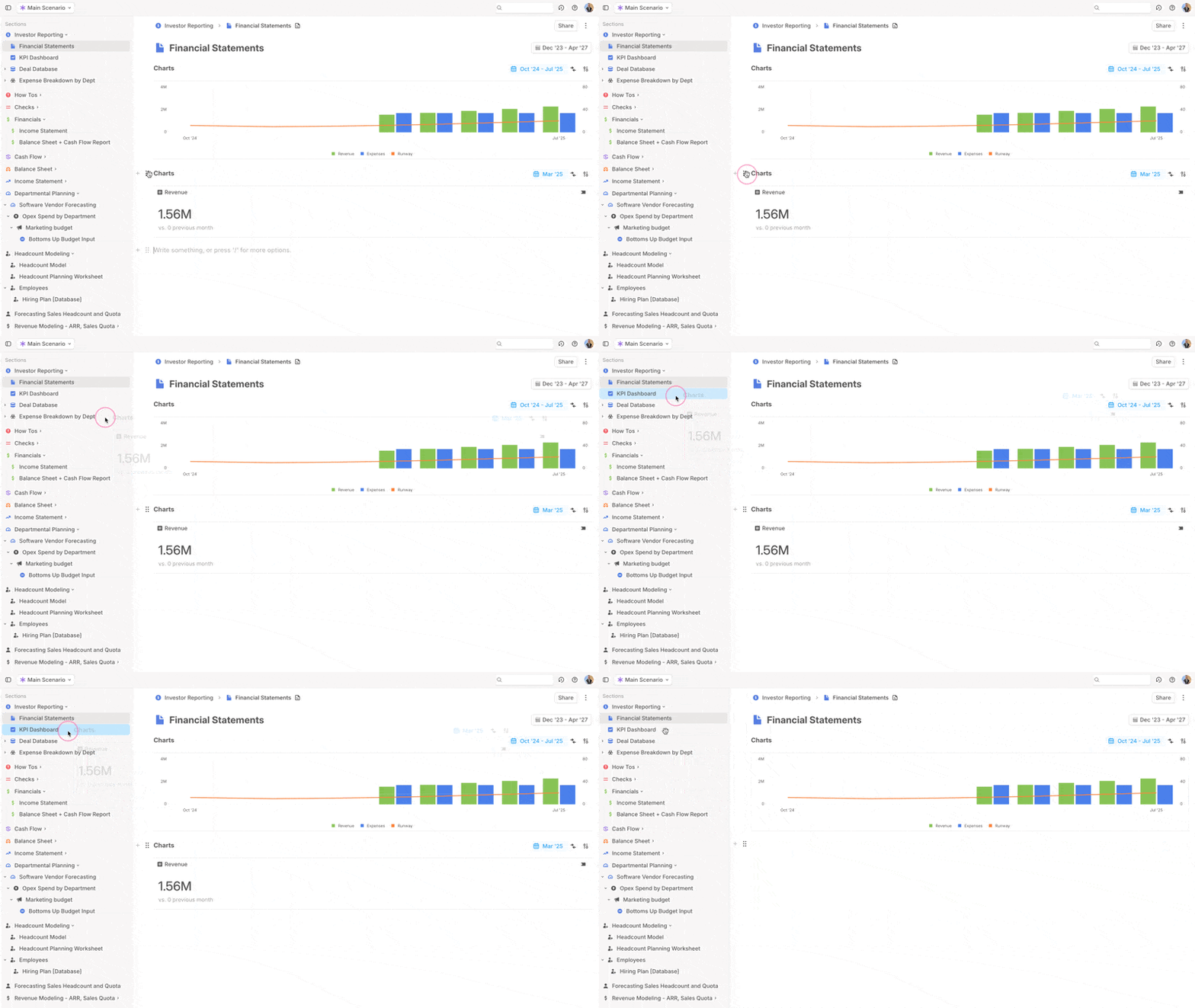
 You can quickly **move a block to a different page** by dragging it and dropping it onto the target page in the sidebar.
 ### Managing a page
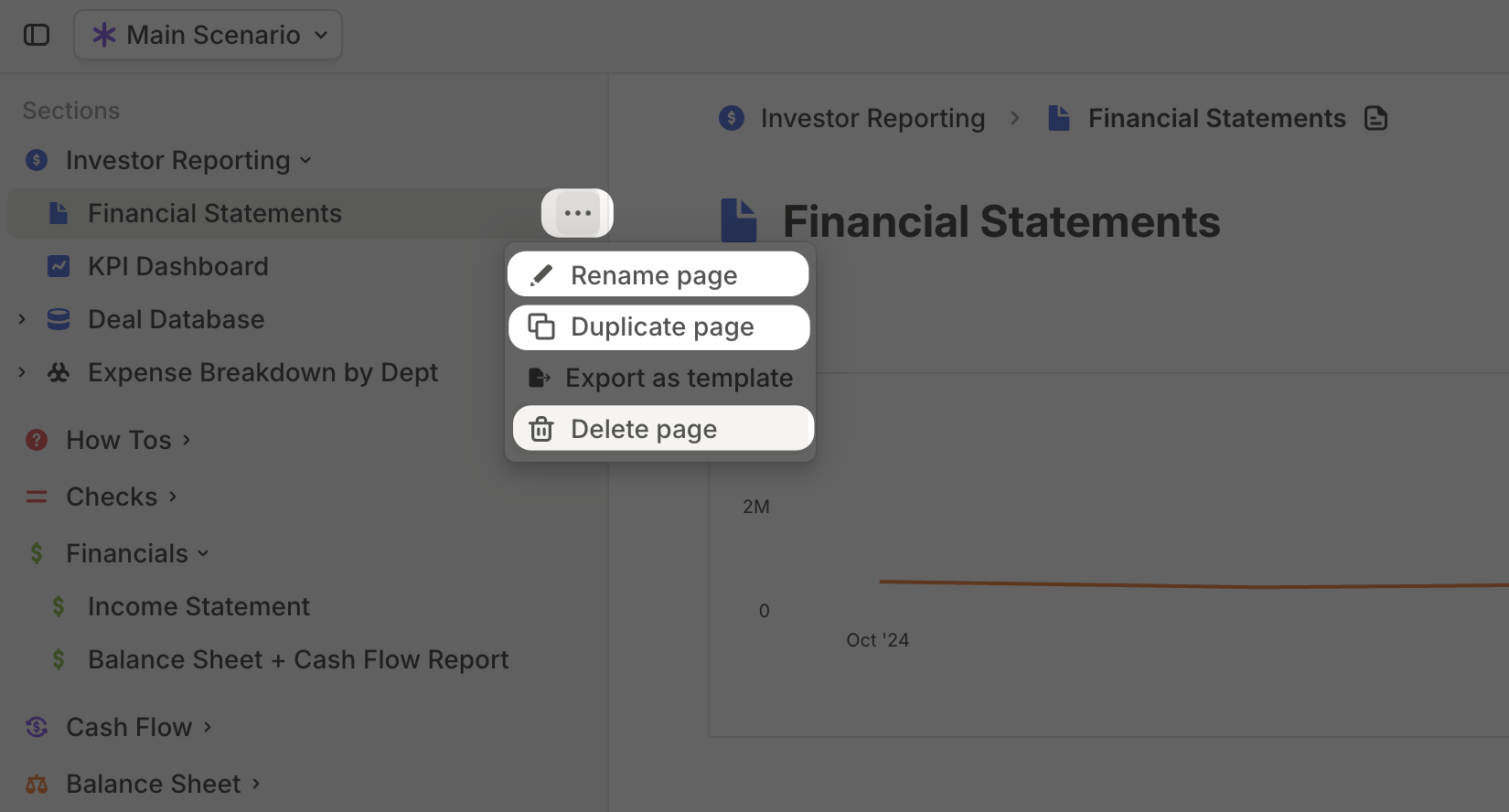
To **rename, change the icon, duplicate, or delete** a page, click the **three-dot button** next to its name in the **sidebar** and select the appropriate option.
### Managing a page
To **rename, change the icon, duplicate, or delete** a page, click the **three-dot button** next to its name in the **sidebar** and select the appropriate option.
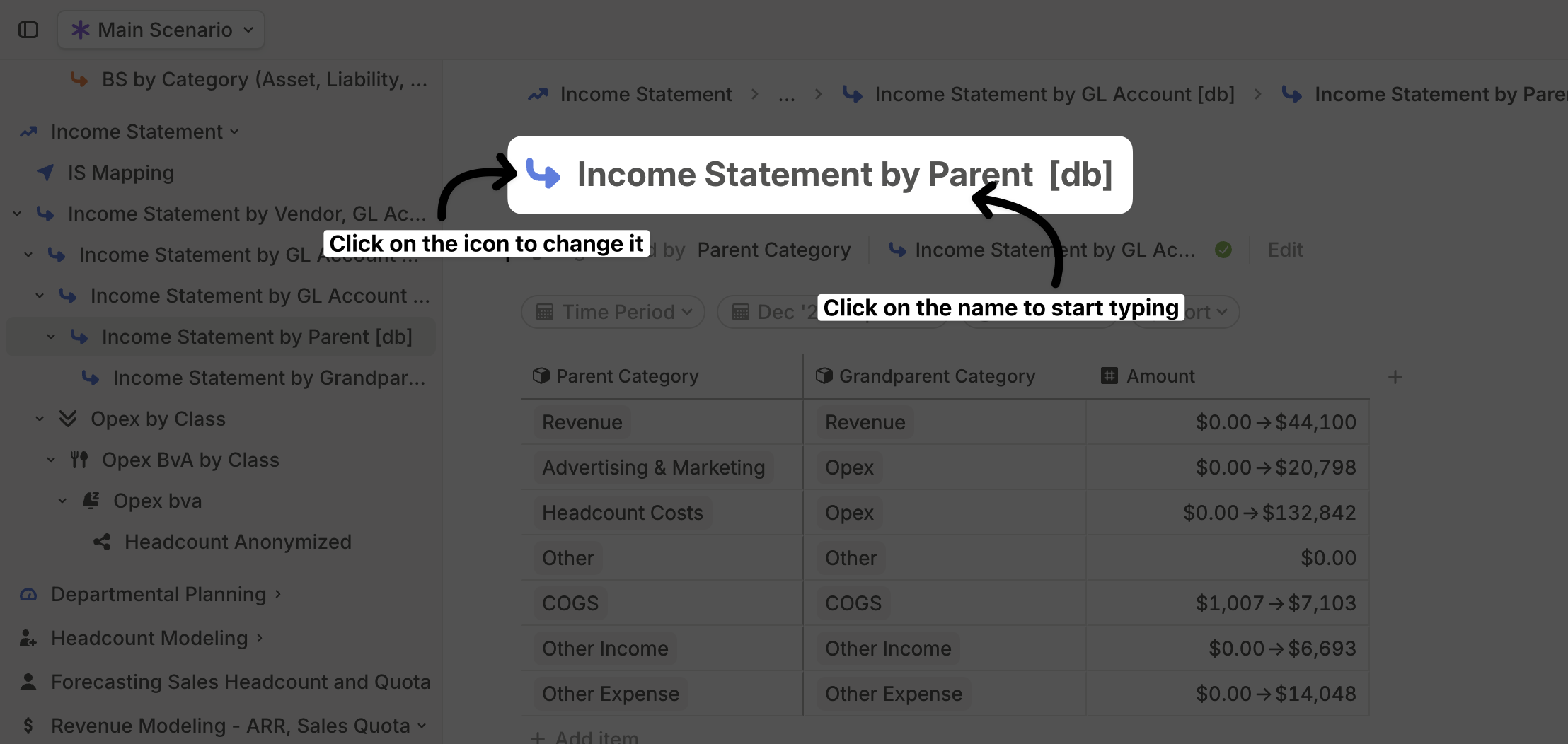
 You can also rename or change the icon by clicking on the icon or name in the page header.
 Additionally, you can **delete** or **rename** a page by clicking the **three-dot menu** in the top-right corner of the page.
## Pages FAQ
You can export specific blocks from a page:
* **Driver table, Driver chart, and Database blocks** – Click the **six-dot menu** on the left of the block and select **Export to CSV.**
* **Driver chart block** – Right-click on the chart, click **Download,** and save it as a **PNG.**
While Runway does not currently support exporting a full page as a **PDF**, some customers use **browser extensions** like [GoFullPage](https://gofullpage.com/) to capture and save entire pages.
Additionally, you can **delete** or **rename** a page by clicking the **three-dot menu** in the top-right corner of the page.
## Pages FAQ
You can export specific blocks from a page:
* **Driver table, Driver chart, and Database blocks** – Click the **six-dot menu** on the left of the block and select **Export to CSV.**
* **Driver chart block** – Right-click on the chart, click **Download,** and save it as a **PNG.**
While Runway does not currently support exporting a full page as a **PDF**, some customers use **browser extensions** like [GoFullPage](https://gofullpage.com/) to capture and save entire pages.