> ## Documentation Index
> Fetch the complete documentation index at: https://docs.runway.com/llms.txt
> Use this file to discover all available pages before exploring further.
# Quota attainment
> This guide walks through how to build and apply quota attainment models in Runway.
Because quota attainment directly impacts top-line metrics like ARR, Burn, and Cash, it’s a core component of many forecasts, especially for bookings, ramp planning, and commissions.
Common modeling inputs include:
* Start dates for new hires
* Annual and monthly quotas
* Ramp period logic
* Historical attainment trends or override assumptions
## Step 1: Build sales team database
The first step is separating out your sales team from your other headcount planning. As discussed in our [HRIS databases article](https://docs.runway.com/concepts/databases/hris-databases), headcount databases from integrations will behave differently than our standard dimensional database.
You’ll want to bring your sales team out into a dimensional database, as leveraging dimensions for quota attainment is faster and more flexible.
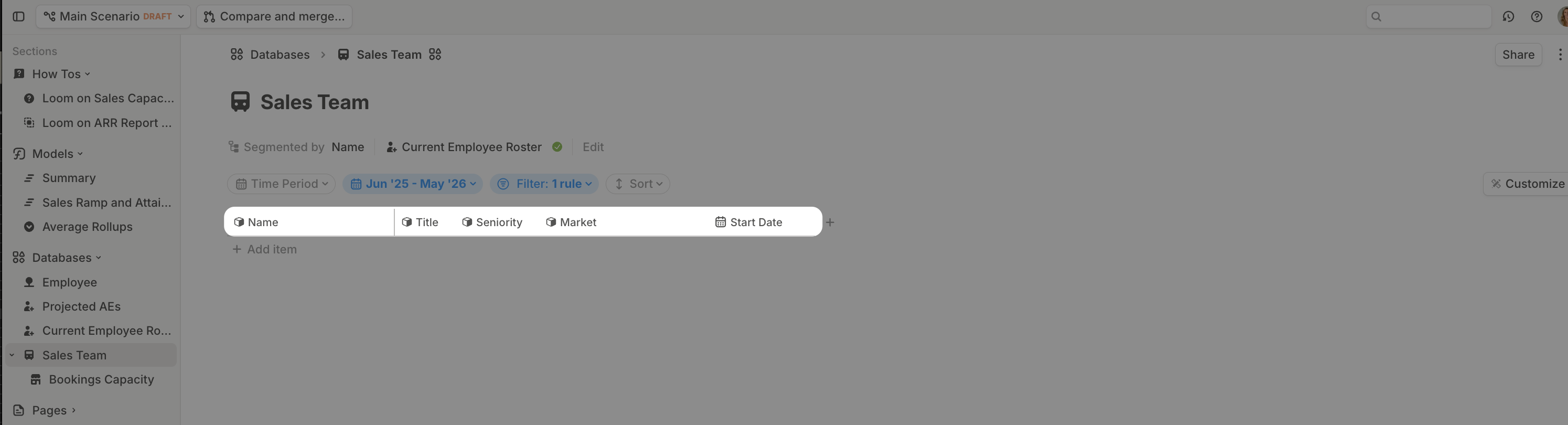
1. Create a new database and set your column headers to the dimensions that will be applicable for quota attainment. In this example, that’s `Name`, `Title`, `Seniority`, `Market`, and `Start Date`.
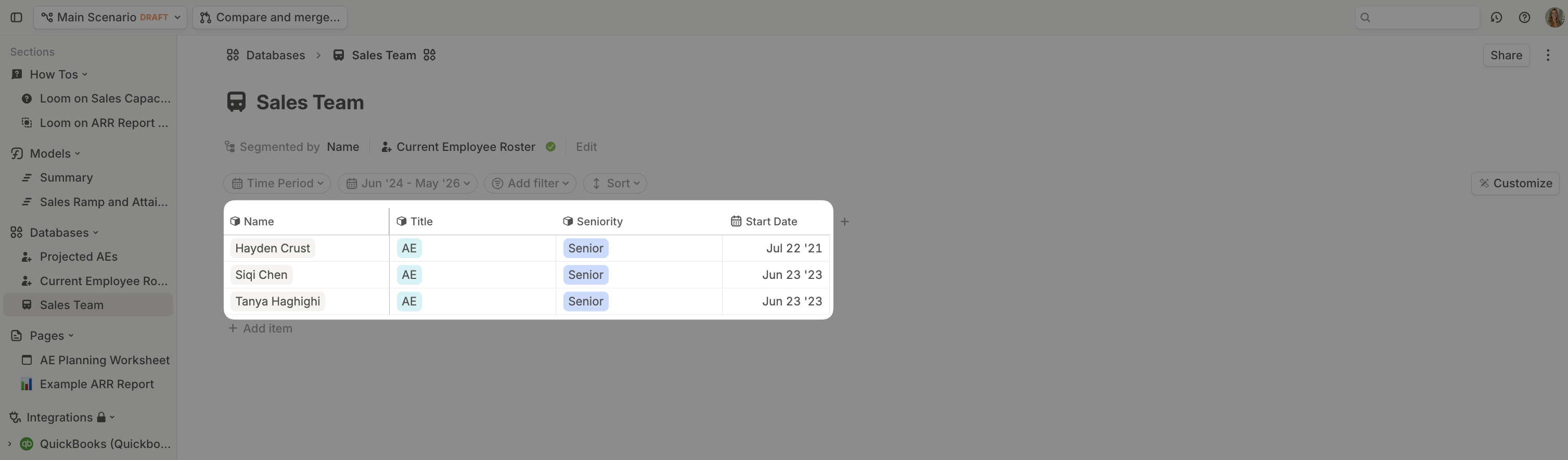
 2. Then, paste in that data from your HRIS-integration powered Employee database.
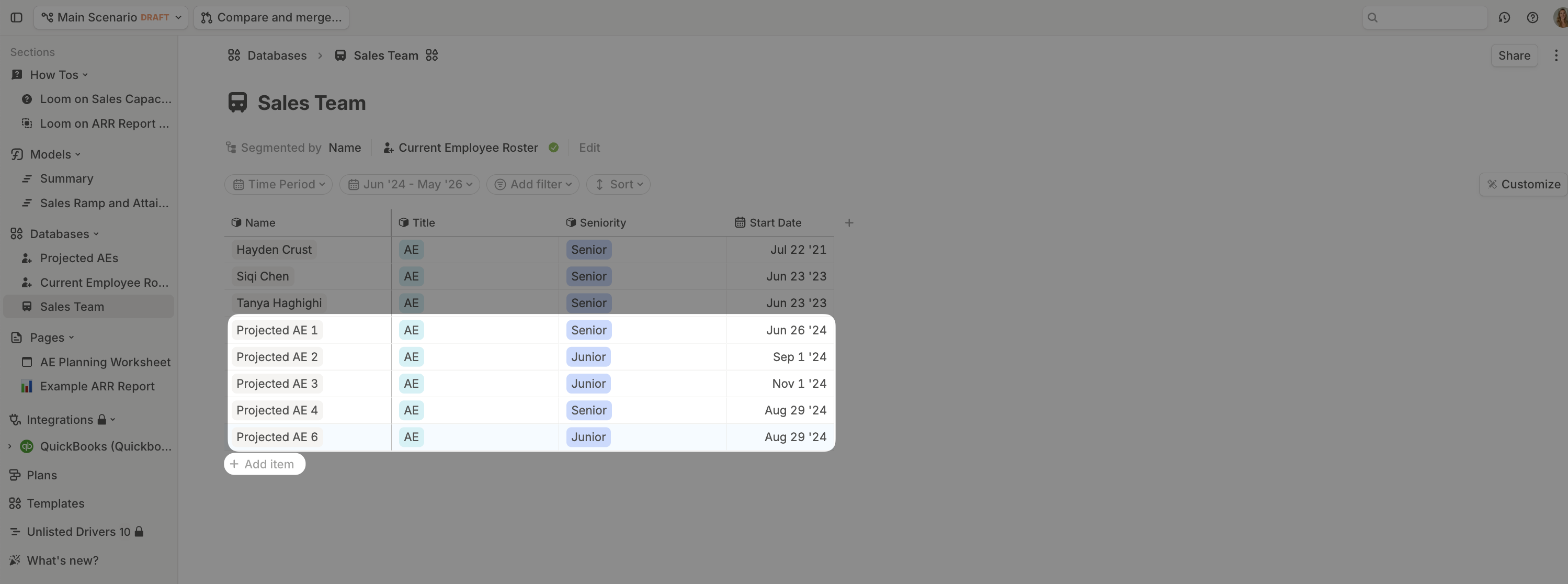
 3. Layer in any projected hires by adding new items to the database.
 You can anonymize any sensitive compensation data by right-clicking the column header and selecting ‘Anonymize Data’. More details [here](https://docs.runway.com/guides/sharing/data-anonymization#how-to-anonymize-data).
## Step 2: Add annual quotas per employee
Add an **Annual Quota** driver column directly in your **Sales Team database**.
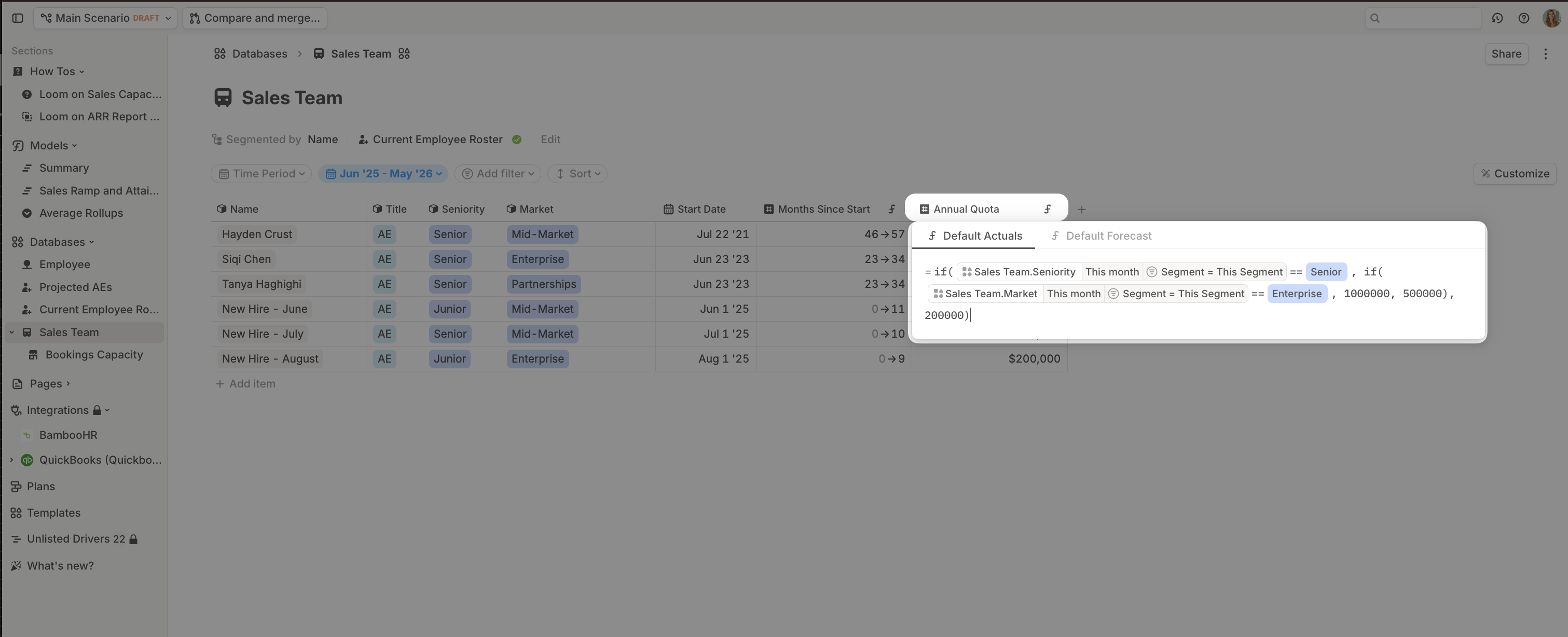
Here, we assign an annual quota based on seniority. This formula will apply to all rows in this database because it’s the default formula.
You can anonymize any sensitive compensation data by right-clicking the column header and selecting ‘Anonymize Data’. More details [here](https://docs.runway.com/guides/sharing/data-anonymization#how-to-anonymize-data).
## Step 2: Add annual quotas per employee
Add an **Annual Quota** driver column directly in your **Sales Team database**.
Here, we assign an annual quota based on seniority. This formula will apply to all rows in this database because it’s the default formula.
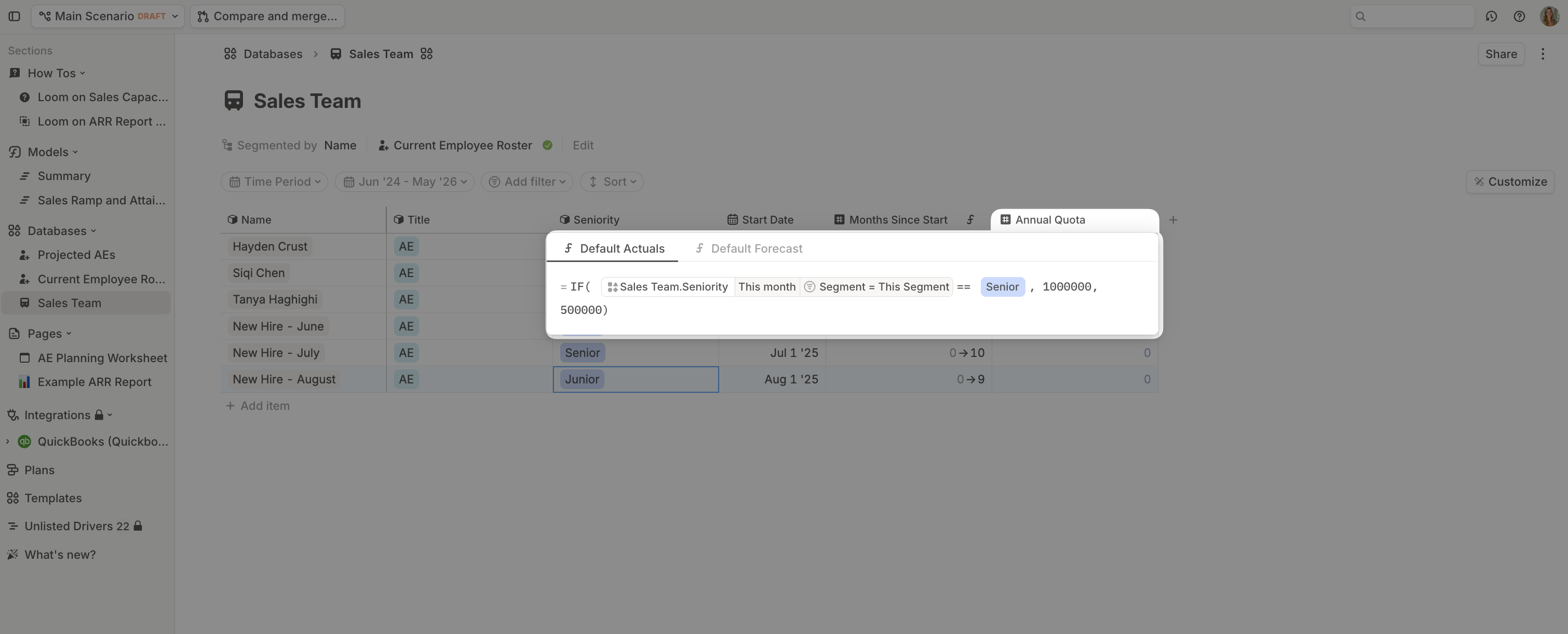 Depending on the complexity of your model, you could layer in additional segmentations of quota assignment here. For example, some businesses assign quotas based on seniority *and* market segmentation. Simply nest IF() statements to achieve your desired level of granularity.
Here, we’re saying if you’re a Senior AE focused on the Enterprise market, you have a \$1m annual quota. If you’re Senior but focused on other markets, you have a \$500k quota. Otherwise, you have a \$200k quota.
Depending on the complexity of your model, you could layer in additional segmentations of quota assignment here. For example, some businesses assign quotas based on seniority *and* market segmentation. Simply nest IF() statements to achieve your desired level of granularity.
Here, we’re saying if you’re a Senior AE focused on the Enterprise market, you have a \$1m annual quota. If you’re Senior but focused on other markets, you have a \$500k quota. Otherwise, you have a \$200k quota.
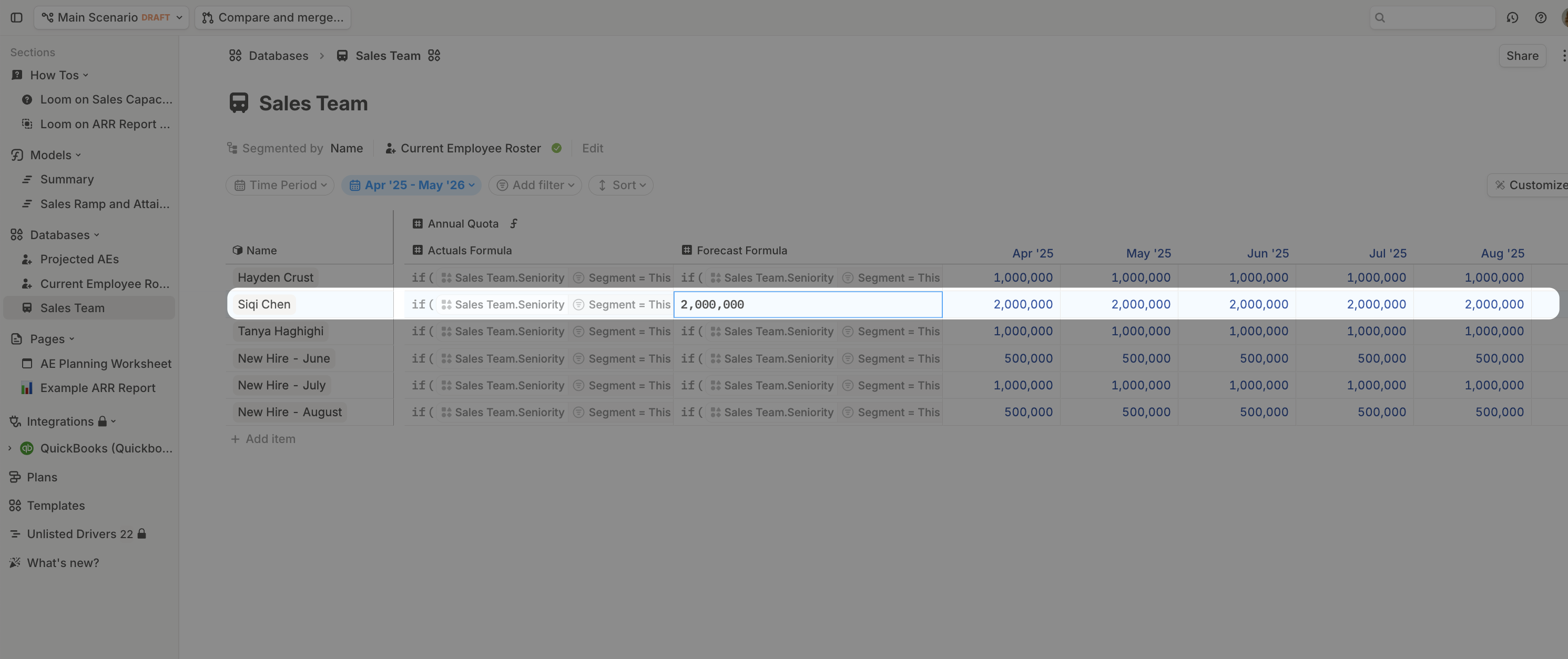
 It is also possible to have individualized sales targets by overriding the default formula for particular employees.
 ## Step 3: Add ramp assumptions
1. **Add `months_since_start`:**
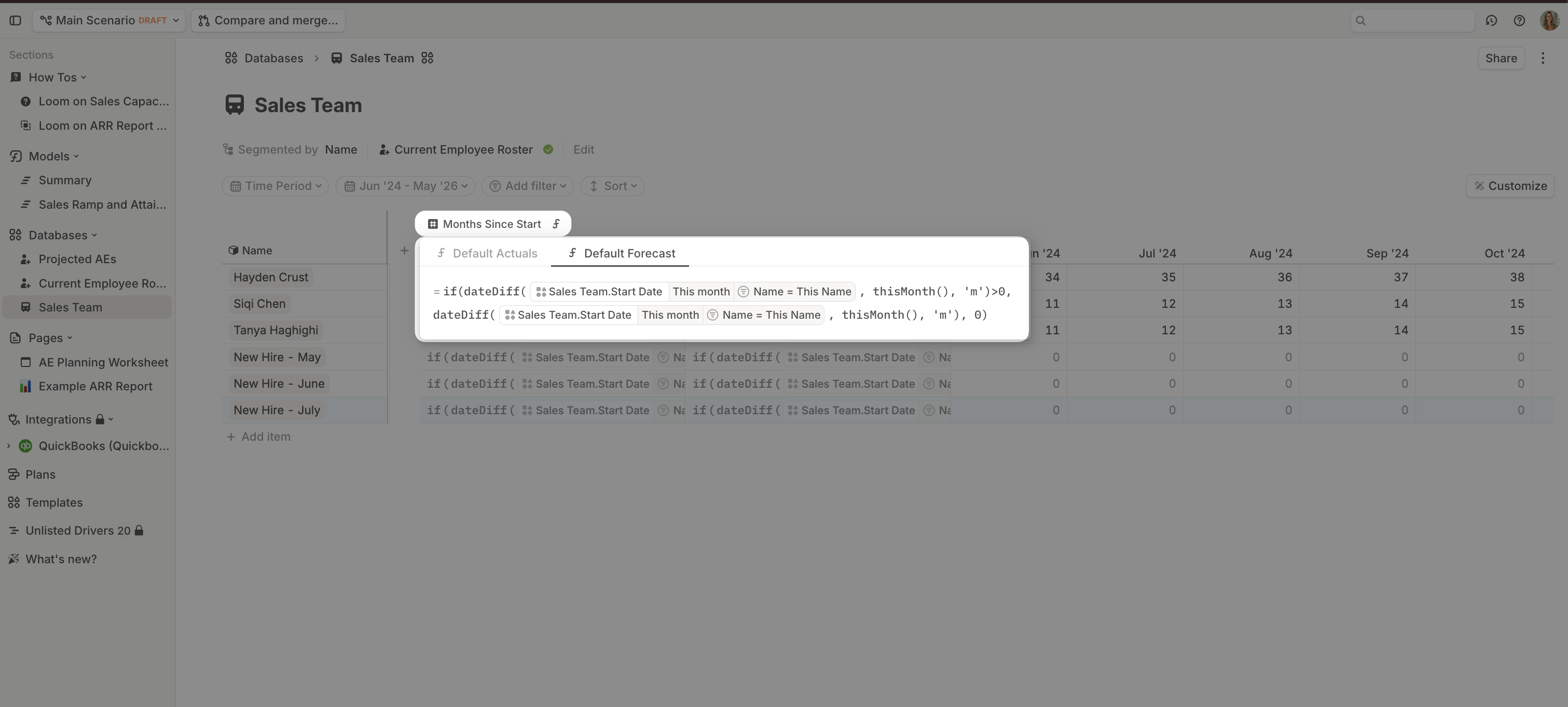
Use `dateDiff()` to calculate the difference between their start date and the month evaluated in the model. By wrapping it in an `IF()` statement, we can set a floor of 0, which will populate for projected future hires.
## Step 3: Add ramp assumptions
1. **Add `months_since_start`:**
Use `dateDiff()` to calculate the difference between their start date and the month evaluated in the model. By wrapping it in an `IF()` statement, we can set a floor of 0, which will populate for projected future hires.
 2. **Calculate `monthly_quota`:**
Start by taking Annual Quota divided by 12:
2. **Calculate `monthly_quota`:**
Start by taking Annual Quota divided by 12:
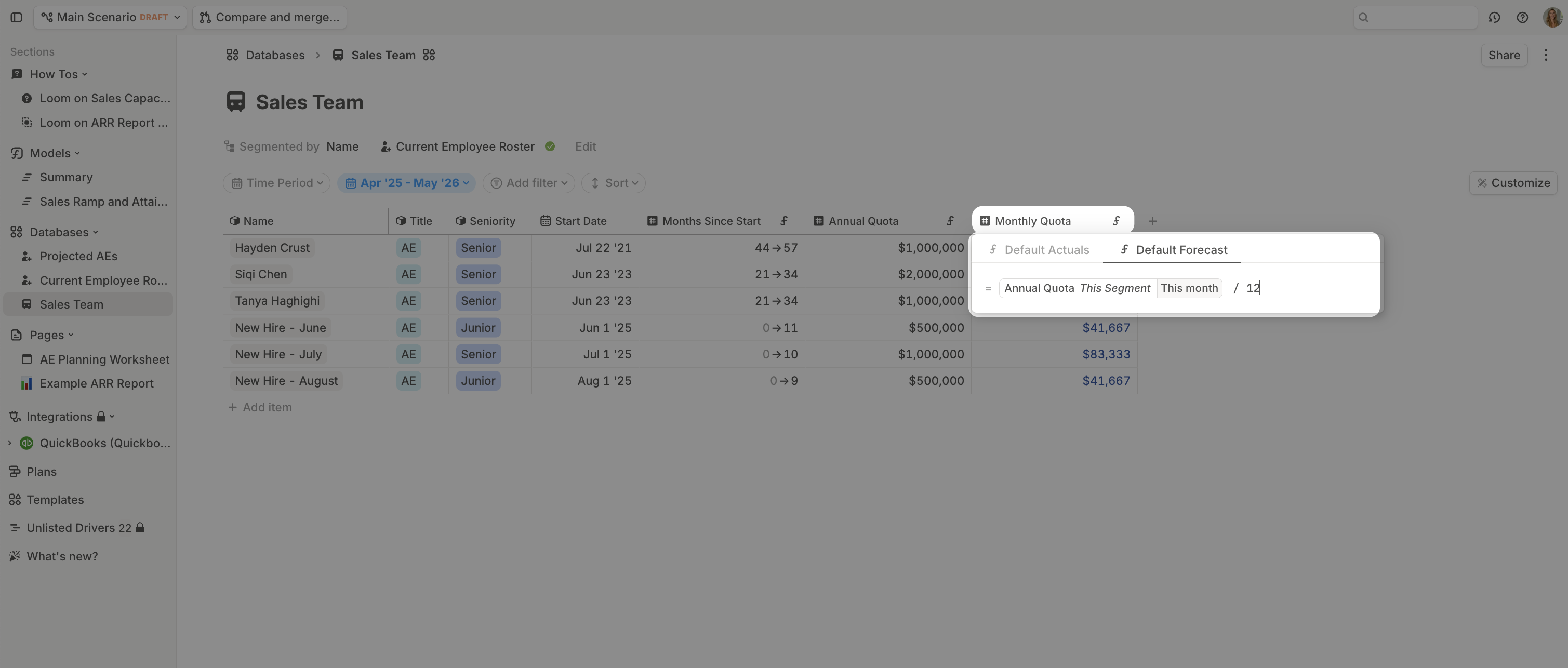 Then, build in a ramping assumption to take into account that a new hire will take time to reach full performance. For this example, we’ll assume there’s a 2-month cliff before AEs start closing deals and it takes 6 months to get fully ramped up:
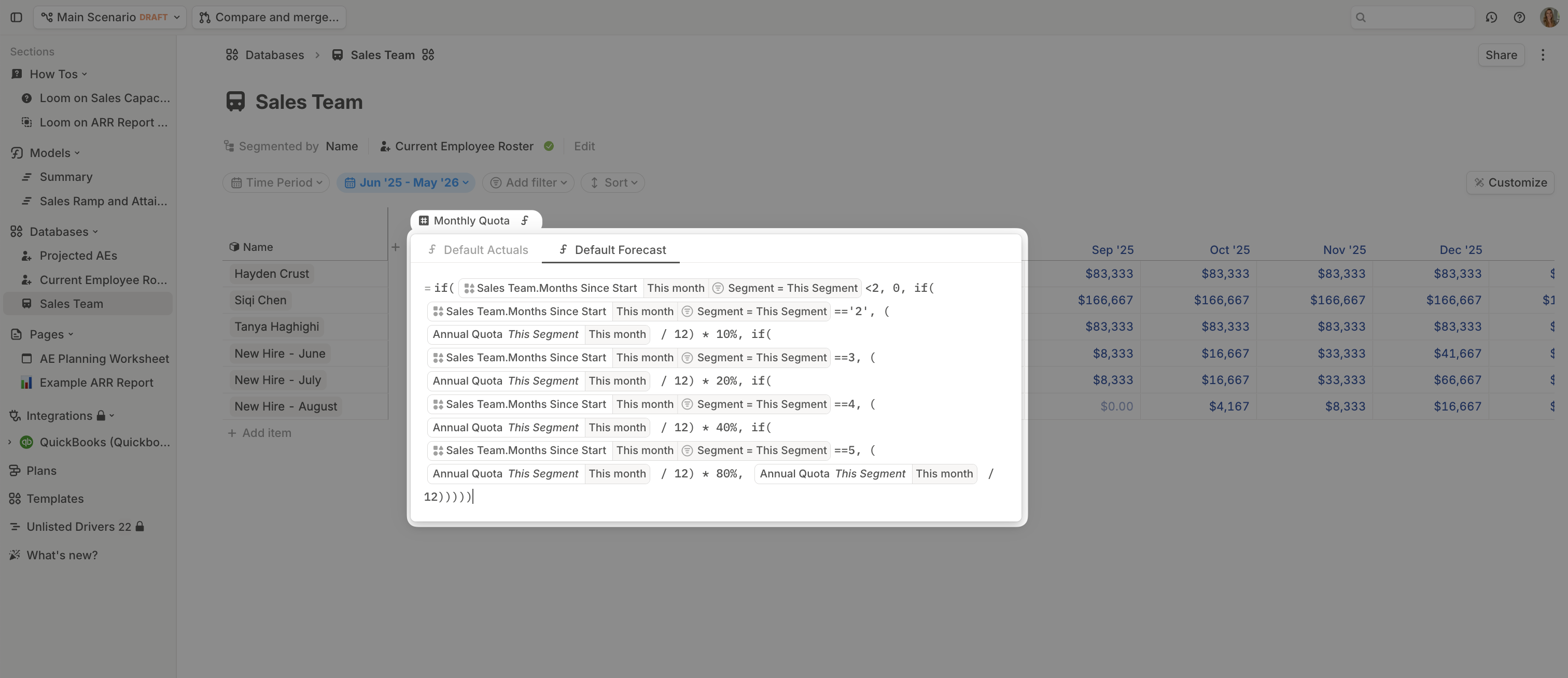 Many users also layer in seasonality assumptions at this point. For more details on seasonality, refer to [this article](https://docs.runway.com/guides/modeling/seasonal-forecasting).
## Step 4: Bookings capacity & attainment model
Create a new database with your Sales Team database as the source. Bring in the `monthly_quota` data as a driver. You’ll want to segment this data by the granularity you forecast your revenue. In this example, we want to use `Market` from our Sales Team but we don’t forecast revenue based on `Seniority` like we did in the Sales Team database so we’ll leave that out.
Many users also layer in seasonality assumptions at this point. For more details on seasonality, refer to [this article](https://docs.runway.com/guides/modeling/seasonal-forecasting).
## Step 4: Bookings capacity & attainment model
Create a new database with your Sales Team database as the source. Bring in the `monthly_quota` data as a driver. You’ll want to segment this data by the granularity you forecast your revenue. In this example, we want to use `Market` from our Sales Team but we don’t forecast revenue based on `Seniority` like we did in the Sales Team database so we’ll leave that out.
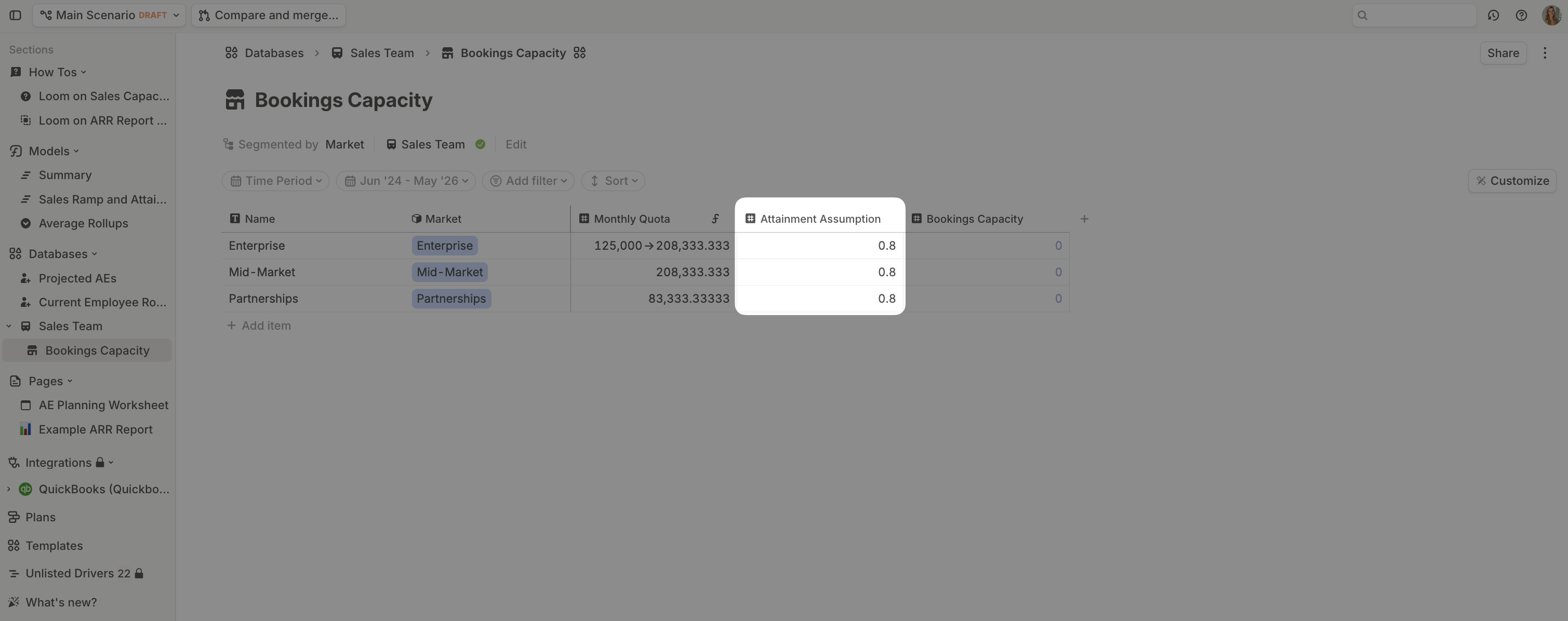
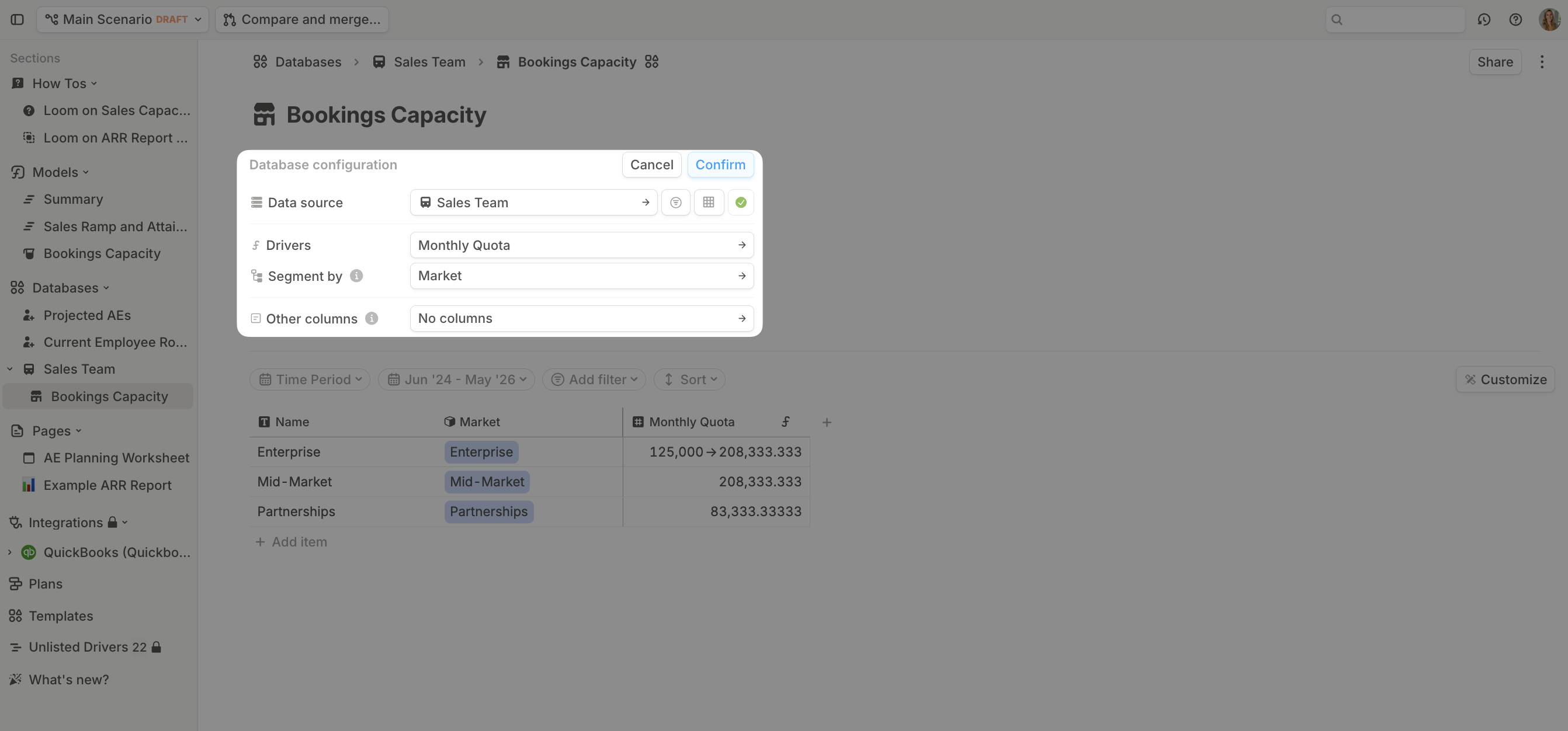 At this stage, what you have is a 100% attainment booking capacity, with ramp and seasonality baked in for each segment. However, to reflect real-world performance, most bookings capacity models apply an attainment assumption to avoid over-inflating forecasted ARR.
Add this assumption in as a column:
At this stage, what you have is a 100% attainment booking capacity, with ramp and seasonality baked in for each segment. However, to reflect real-world performance, most bookings capacity models apply an attainment assumption to avoid over-inflating forecasted ARR.
Add this assumption in as a column:
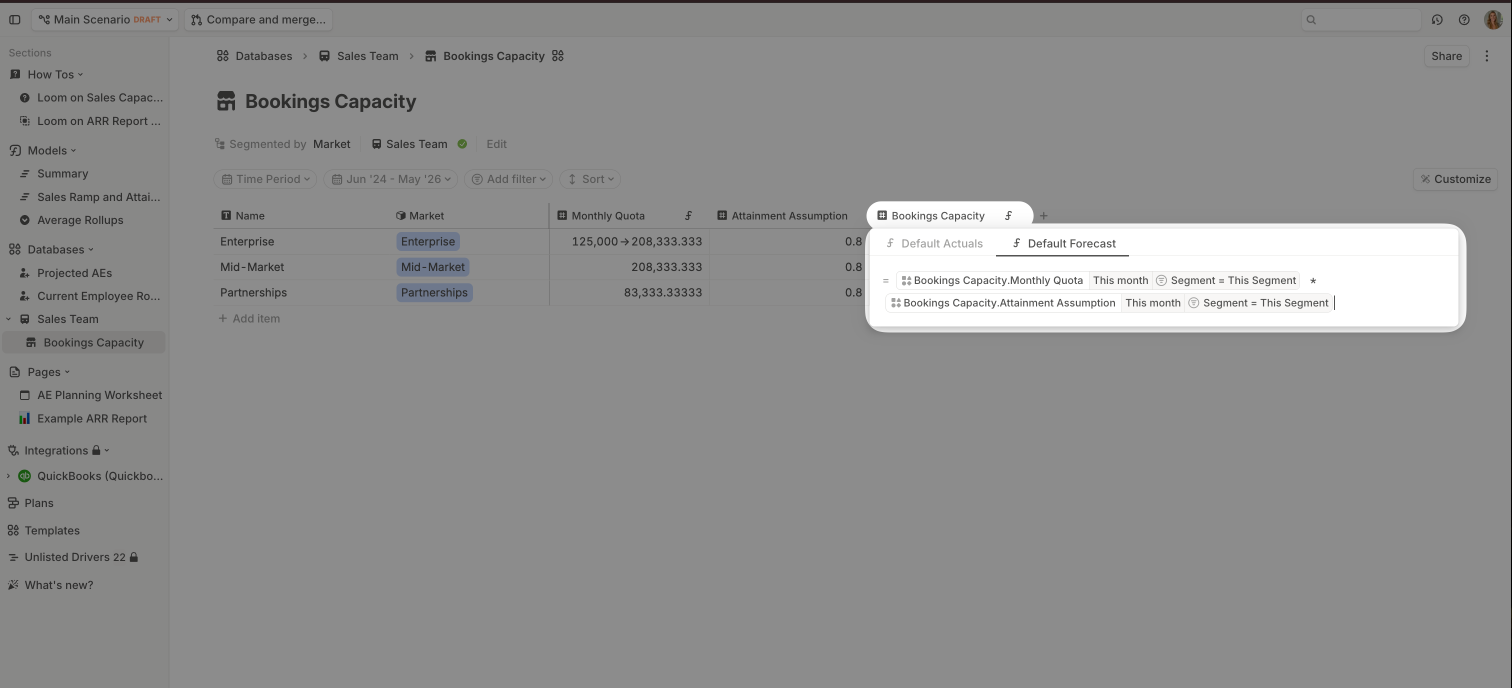
 The final step is calculating your fully ramped, adjusted Bookings Capacity, which reflects realistic attainment for each segment.
 ## What’s next?
With your quota model in place, you can now:
* Build detailed [ARR dashboards](https://docs.runway.com/concepts/pages/pages-basics)
* Track team performance with [BvA](https://docs.runway.com/guides/modeling/bva) pages
* Model hiring and quota [scenarios](https://docs.runway.com/concepts/scenarios)
## What’s next?
With your quota model in place, you can now:
* Build detailed [ARR dashboards](https://docs.runway.com/concepts/pages/pages-basics)
* Track team performance with [BvA](https://docs.runway.com/guides/modeling/bva) pages
* Model hiring and quota [scenarios](https://docs.runway.com/concepts/scenarios)