> ## Documentation Index
> Fetch the complete documentation index at: https://docs.runway.com/llms.txt
> Use this file to discover all available pages before exploring further.
# NetSuite
> The NetSuite integration lets you automatically sync your financial data with Runway, eliminating manual data entry and ensuring your actuals stay up to date. With this connection, your financial models always reflect the latest numbers from NetSuite.
Runway supports an in-app quick-start connection and a SQL-powered Fivetran path for NetSuite. This page documents the Fivetran SuiteAnalytics path.
The quick-start connection starts from the in-app integration directory: go to **Settings → Integrations**, choose NetSuite, and follow the prompts. It syncs a standard set of tables; the rest of this page covers the SQL-powered Fivetran path.
## Prerequisites
Before getting started, make sure you have:
1. A **NetSuite administrative account**
2. The [**SuiteAnalytics Connect Service**](https://docs.oracle.com/en/cloud/saas/netsuite/ns-online-help/book_N748613.html) enabled, with access to either the [**NetSuite.com**](http://NetSuite.com) or [**NetSuite2.com**](http://NetSuite2.com) data source.
## Setting up NetSuite via Fivetran
 ### Connecting the integration
1. Open your [Runway instance](https://app.runway.com/).
2. In the left sidebar, hover over **Integrations** and click the **+** button to open the **Integrations Directory**.
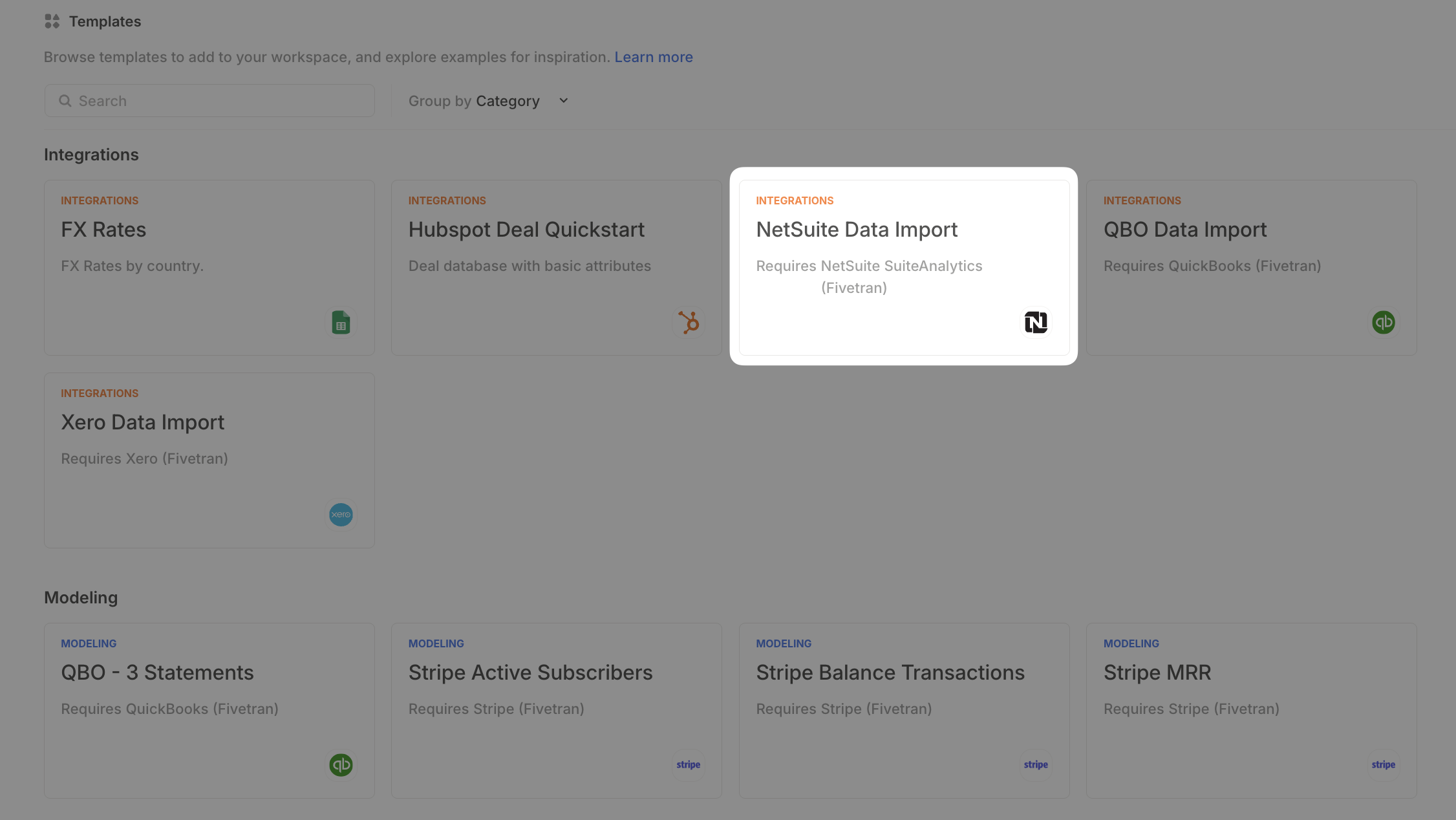
3. Search for **NetSuite** and click **+ Set up** under the **Fivetran** option.
4. For the **Schema Name**, leave it as `netsuite_suiteanalytics`.
### Connecting the integration
1. Open your [Runway instance](https://app.runway.com/).
2. In the left sidebar, hover over **Integrations** and click the **+** button to open the **Integrations Directory**.
3. Search for **NetSuite** and click **+ Set up** under the **Fivetran** option.
4. For the **Schema Name**, leave it as `netsuite_suiteanalytics`.
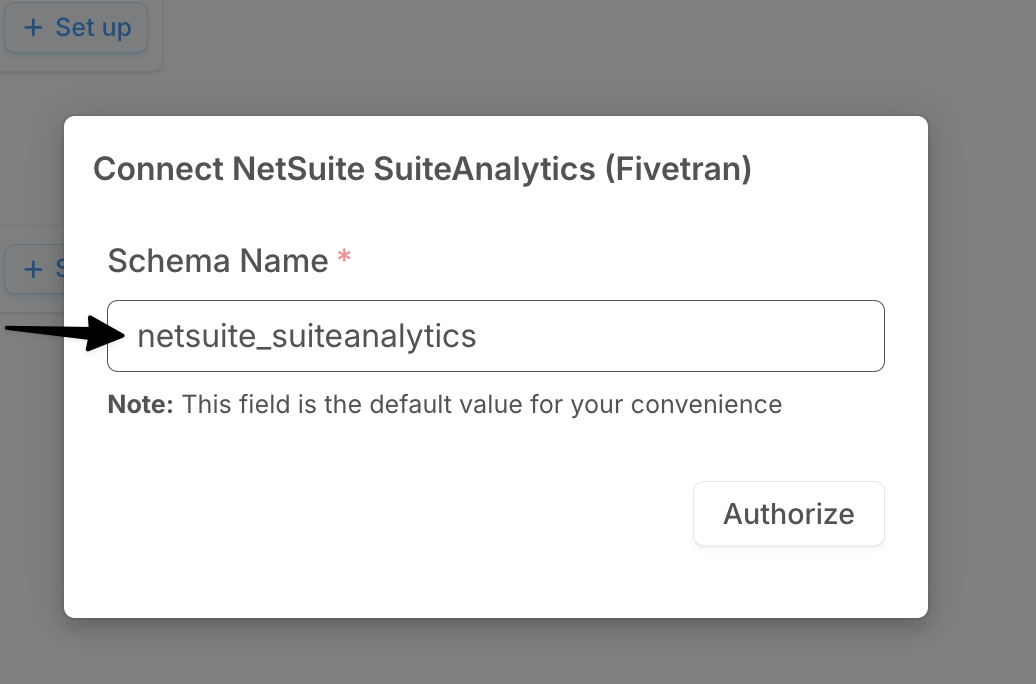 5. Click **Authorize** to be redirected to Fivetran to complete the connection.
6. Follow Fivetran’s setup instructions to finish configuring the integration.
7. Click **Save & Test** to begin syncing your data. You’ll be redirected back to Runway.
### Syncing your data into Runway
Runway provides **integration templates** to make it easy to bring in **Income Statement** and **Balance Sheet** data from NetSuite.
1. In the left sidebar, go to **Templates**.
2. Search for **NetSuite Data Import**.
3. Click **+ Add to Runway** on the template card.
4. This will automatically:
* Add prebuilt **Income Statement** and **Balance Sheet** queries to your NetSuite integration.
* Create the following databases in Runway:
* **IS Data** (Income Statement)
* **BS Data** (Balance Sheet)
## Supported data from NetSuite via Fivetran
When using the NetSuite **Data Import** integration template, the following financial data becomes available in Runway: **Income statement data**
| Data name | Example | Data type | Availability |
| :---------------------------------- | :----------- | :------------ | :-------------------------------------------------- |
| Transaction Date | Mar 28, 2025 | Date Driver | Via Template (used to group by Month in Timeseries) |
| Income Statement Amount (converted) | 15,000 | Number Driver | via Template |
| Account Name | 200 Sales | Dimension | via Template |
| Subsidiary | Acme | Dimension | via Template |
| Department | Sales | Dimension | via Template |
| Vendor Name | Microsoft | Dimension | via Template |
| Class Full Name | Revenue | Dimension | via Template |
| Account Type Name | Income | Dimension | via Template |
| Parent Account Name | Sales | Dimension | via Template |
| Account Number | 200 | Dimension | Can be added |
| Account Name (no number) | Sales | Dimension | Can be added |
| Vendor Category | Supplies | Dimension | Can be added |
| Customer | John Doe | Dimension | Can be added |
| Item ID | 123 | Dimension | Can be added |
| Item Name | Hosting | Dimension | Can be added |
| Item Type Name | Service | Dimension | Can be added |
| Location Name | ABC | Dimension | Can be added |
| Location City | New York | Dimension | Can be added |
| Location Country | US | Dimension | Can be added |
| Currency Name | US Dollars | Dimension | Can be added |
| Currency Symbol | USD | Dimension | Can be added |
**Balance sheet data**
| Data name | Example | Data type | Availability |
| :--------------- | :-------------------- | :------------ | :-------------------------------------------------- |
| Account Name | 1001 - Chase Checking | Dimension | via Template |
| Account Category | Asset | Dimension | via Template |
| Account Type | Bank | Dimension | via Template |
| BS Amount | 10,000 | Number Driver | via Template |
| Month | Mar 28, 2025 | Date Driver | via Template (used to group by Month in Timeseries) |
| Subsidiary | Acme Subsidiary | Dimension | Can be added |
The **NetSuite Data Import** integration template includes the **most commonly used financial data**, but you can add **additional supporting data** to your database configurations for more detail if needed.
## NetSuite FAQs
Yes, absolutely. If you’re comfortable writing SQL, refer to our [SQL in Runway guide](https://docs.runway.com/integrations/writing-sql) for instructions. If you’d prefer help from our team, feel free to reach out to CX. When you do, it’s helpful to come prepared with:
* The name of the field(s) you'd like to pull.
* Example data values from those fields.
* What the field is associated with (e.g. Customer, Vendor, Transaction, or Transaction Line).
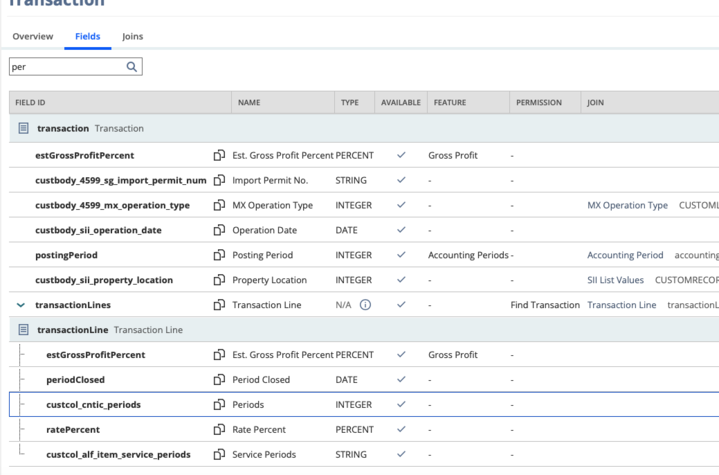
* Bonus: A screenshot from NetSuite’s **Record Explorer** showing how the field is defined.
5. Click **Authorize** to be redirected to Fivetran to complete the connection.
6. Follow Fivetran’s setup instructions to finish configuring the integration.
7. Click **Save & Test** to begin syncing your data. You’ll be redirected back to Runway.
### Syncing your data into Runway
Runway provides **integration templates** to make it easy to bring in **Income Statement** and **Balance Sheet** data from NetSuite.
1. In the left sidebar, go to **Templates**.
2. Search for **NetSuite Data Import**.
3. Click **+ Add to Runway** on the template card.
4. This will automatically:
* Add prebuilt **Income Statement** and **Balance Sheet** queries to your NetSuite integration.
* Create the following databases in Runway:
* **IS Data** (Income Statement)
* **BS Data** (Balance Sheet)
## Supported data from NetSuite via Fivetran
When using the NetSuite **Data Import** integration template, the following financial data becomes available in Runway: **Income statement data**
| Data name | Example | Data type | Availability |
| :---------------------------------- | :----------- | :------------ | :-------------------------------------------------- |
| Transaction Date | Mar 28, 2025 | Date Driver | Via Template (used to group by Month in Timeseries) |
| Income Statement Amount (converted) | 15,000 | Number Driver | via Template |
| Account Name | 200 Sales | Dimension | via Template |
| Subsidiary | Acme | Dimension | via Template |
| Department | Sales | Dimension | via Template |
| Vendor Name | Microsoft | Dimension | via Template |
| Class Full Name | Revenue | Dimension | via Template |
| Account Type Name | Income | Dimension | via Template |
| Parent Account Name | Sales | Dimension | via Template |
| Account Number | 200 | Dimension | Can be added |
| Account Name (no number) | Sales | Dimension | Can be added |
| Vendor Category | Supplies | Dimension | Can be added |
| Customer | John Doe | Dimension | Can be added |
| Item ID | 123 | Dimension | Can be added |
| Item Name | Hosting | Dimension | Can be added |
| Item Type Name | Service | Dimension | Can be added |
| Location Name | ABC | Dimension | Can be added |
| Location City | New York | Dimension | Can be added |
| Location Country | US | Dimension | Can be added |
| Currency Name | US Dollars | Dimension | Can be added |
| Currency Symbol | USD | Dimension | Can be added |
**Balance sheet data**
| Data name | Example | Data type | Availability |
| :--------------- | :-------------------- | :------------ | :-------------------------------------------------- |
| Account Name | 1001 - Chase Checking | Dimension | via Template |
| Account Category | Asset | Dimension | via Template |
| Account Type | Bank | Dimension | via Template |
| BS Amount | 10,000 | Number Driver | via Template |
| Month | Mar 28, 2025 | Date Driver | via Template (used to group by Month in Timeseries) |
| Subsidiary | Acme Subsidiary | Dimension | Can be added |
The **NetSuite Data Import** integration template includes the **most commonly used financial data**, but you can add **additional supporting data** to your database configurations for more detail if needed.
## NetSuite FAQs
Yes, absolutely. If you’re comfortable writing SQL, refer to our [SQL in Runway guide](https://docs.runway.com/integrations/writing-sql) for instructions. If you’d prefer help from our team, feel free to reach out to CX. When you do, it’s helpful to come prepared with:
* The name of the field(s) you'd like to pull.
* Example data values from those fields.
* What the field is associated with (e.g. Customer, Vendor, Transaction, or Transaction Line).
* Bonus: A screenshot from NetSuite’s **Record Explorer** showing how the field is defined.
 Yes. You’re not limited to just financial data—Runway can pull in operational, sales, or other business-critical data from NetSuite as well. To explore what’s available, check out:
* Our [SQL in Runway guide](https://docs.runway.com/integrations/writing-sql).
* [This ERD](https://fivetran.com/docs/connectors/applications/netsuite-suiteanalytics#schemainformation) from our integration partner, Fivetran, which outlines the full set of accessible tables and fields.
Yes. SuiteAnalytics Connect is essential for enabling a reliable integration with NetSuite. Without it, Runway cannot access your NetSuite data.
Most customers already have this add-on enabled prior to starting with Runway. If you’re unsure whether it’s included in your plan, or need to enable it, reach out to NetSuite for details on access and pricing.
Yes. You’re not limited to just financial data—Runway can pull in operational, sales, or other business-critical data from NetSuite as well. To explore what’s available, check out:
* Our [SQL in Runway guide](https://docs.runway.com/integrations/writing-sql).
* [This ERD](https://fivetran.com/docs/connectors/applications/netsuite-suiteanalytics#schemainformation) from our integration partner, Fivetran, which outlines the full set of accessible tables and fields.
Yes. SuiteAnalytics Connect is essential for enabling a reliable integration with NetSuite. Without it, Runway cannot access your NetSuite data.
Most customers already have this add-on enabled prior to starting with Runway. If you’re unsure whether it’s included in your plan, or need to enable it, reach out to NetSuite for details on access and pricing.