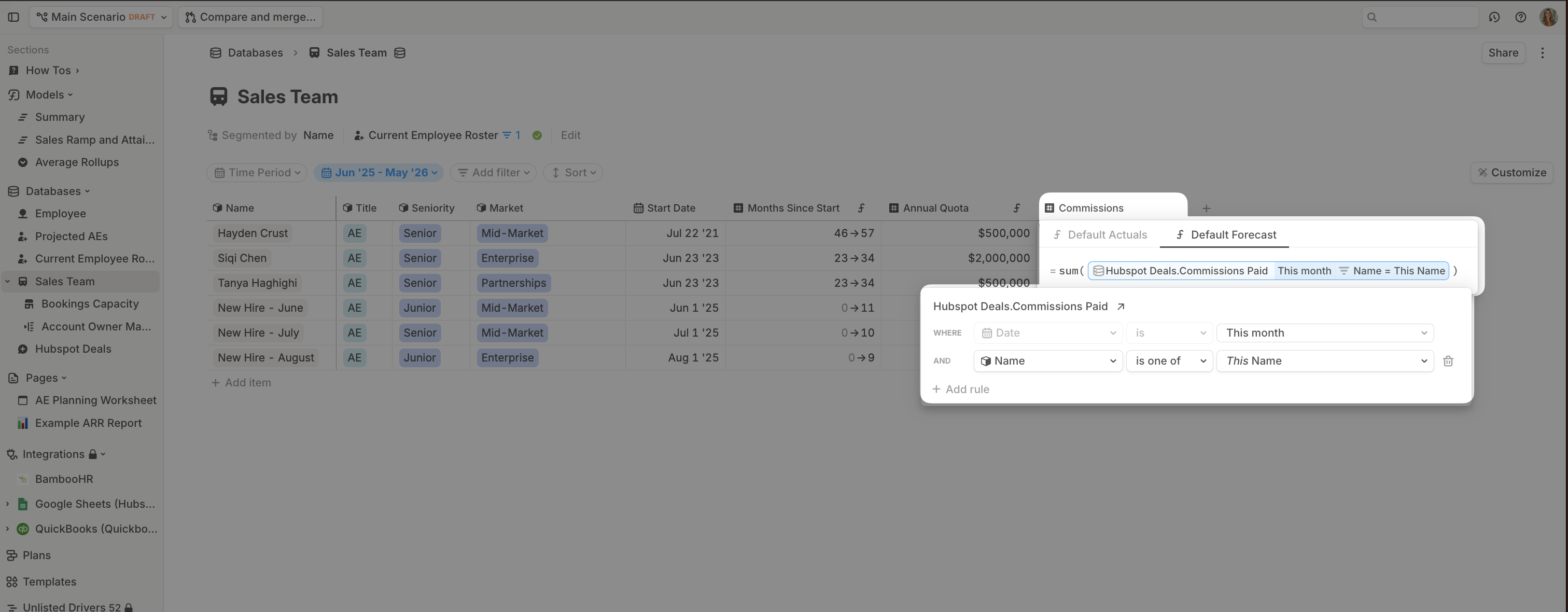
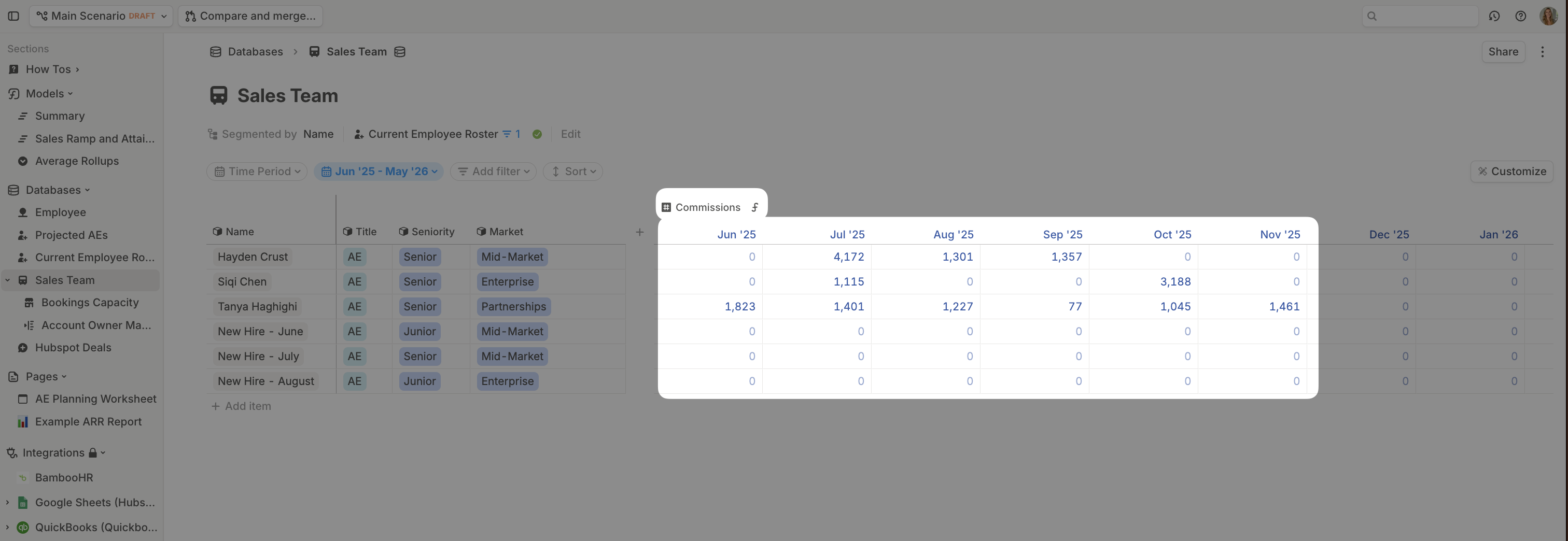
Step 1: Map CRM deal owners to AEs
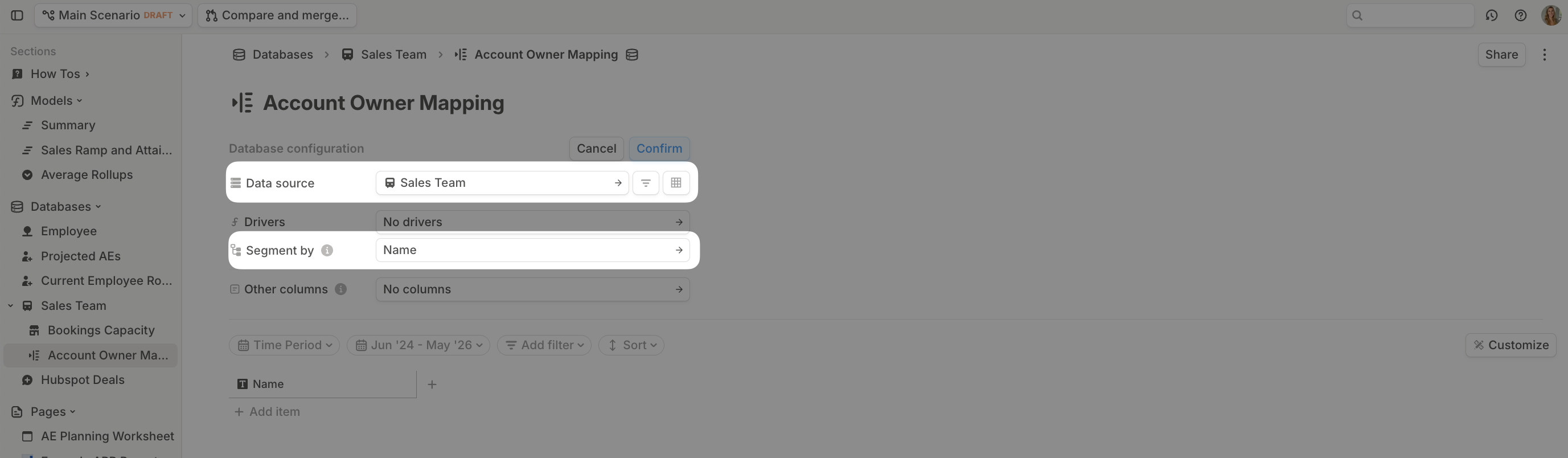
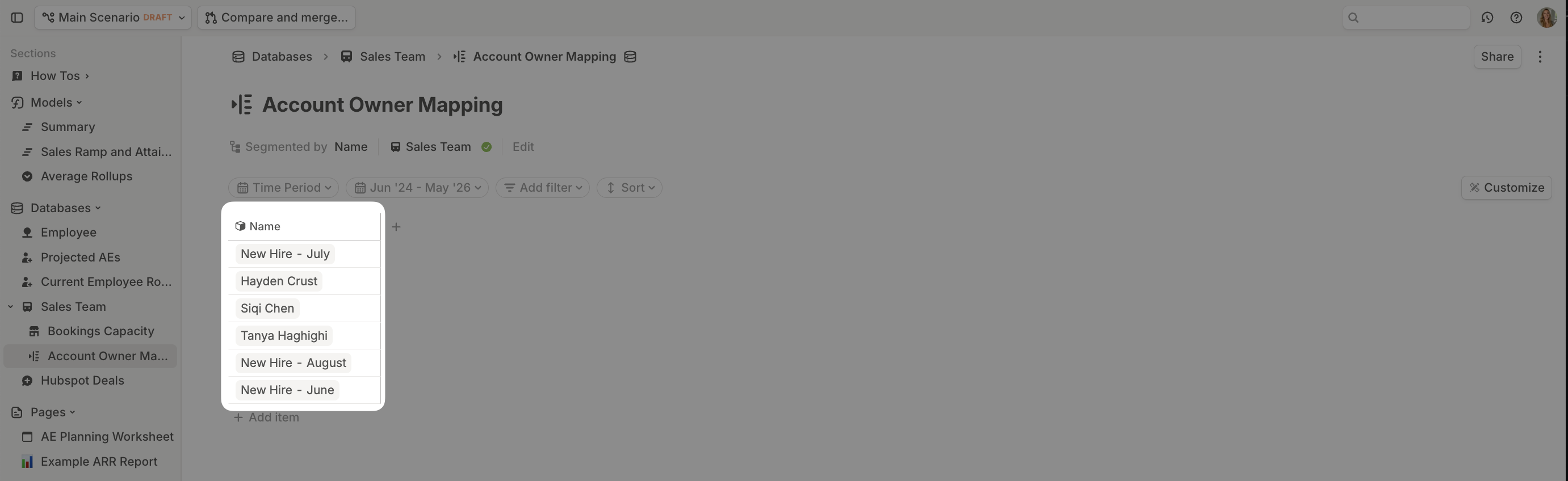
To align commissions to individual AEs, you’ll need to connect CRM data to HRIS data.- Create a new database called Account Owner Mapping. Select your Sales Team database as the source and segment by Name.
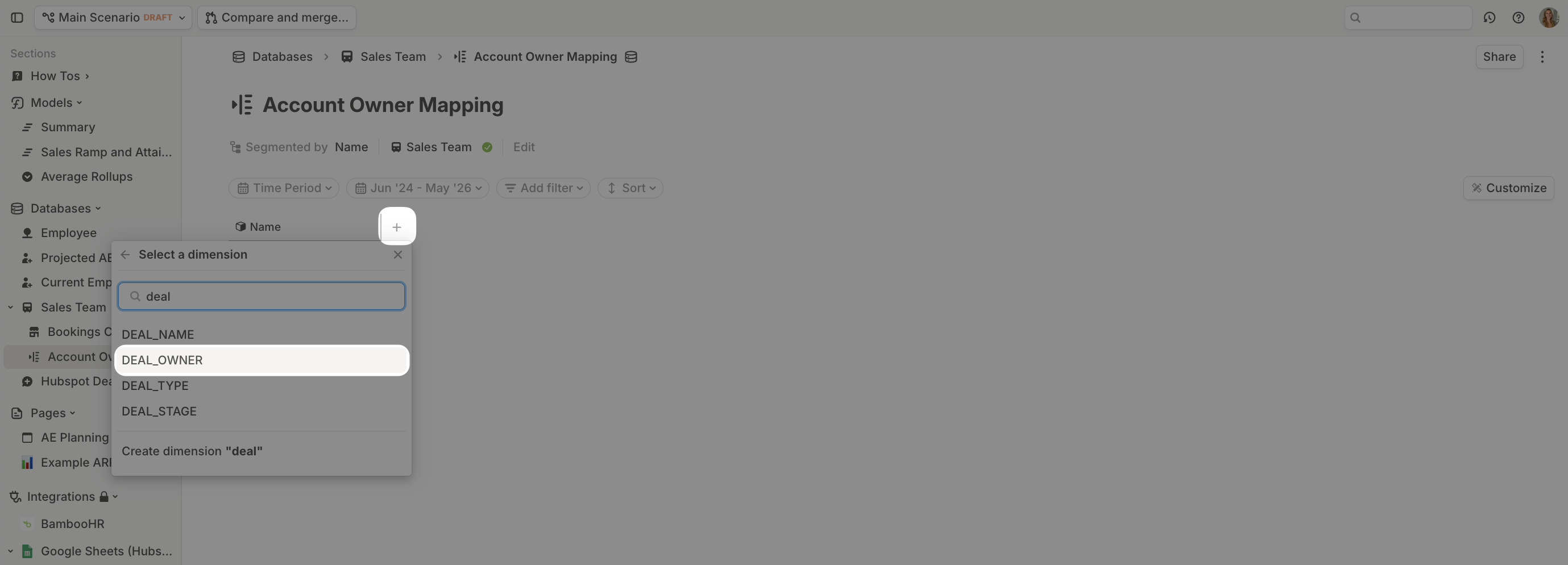
- Add a new dimension column and search for Deal Owner. Naming may vary depending on your HRIS integration. You can always check your Deals database for the exact dimension name.
- For each relevant row, select the matching Deal Owner. Skip rows for manually added new hires—they won’t exist in your CRM data.
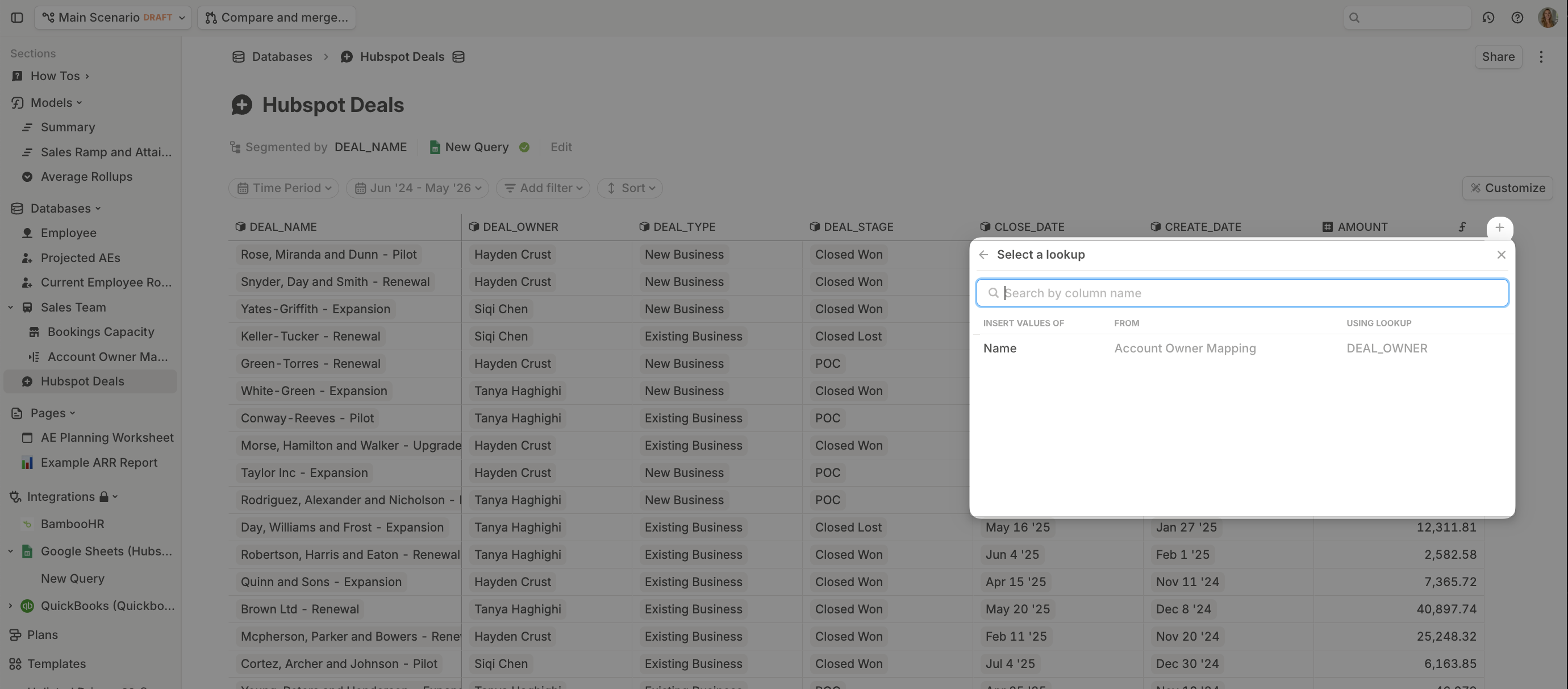
- In your Deals database, add a Lookup for the Name column.
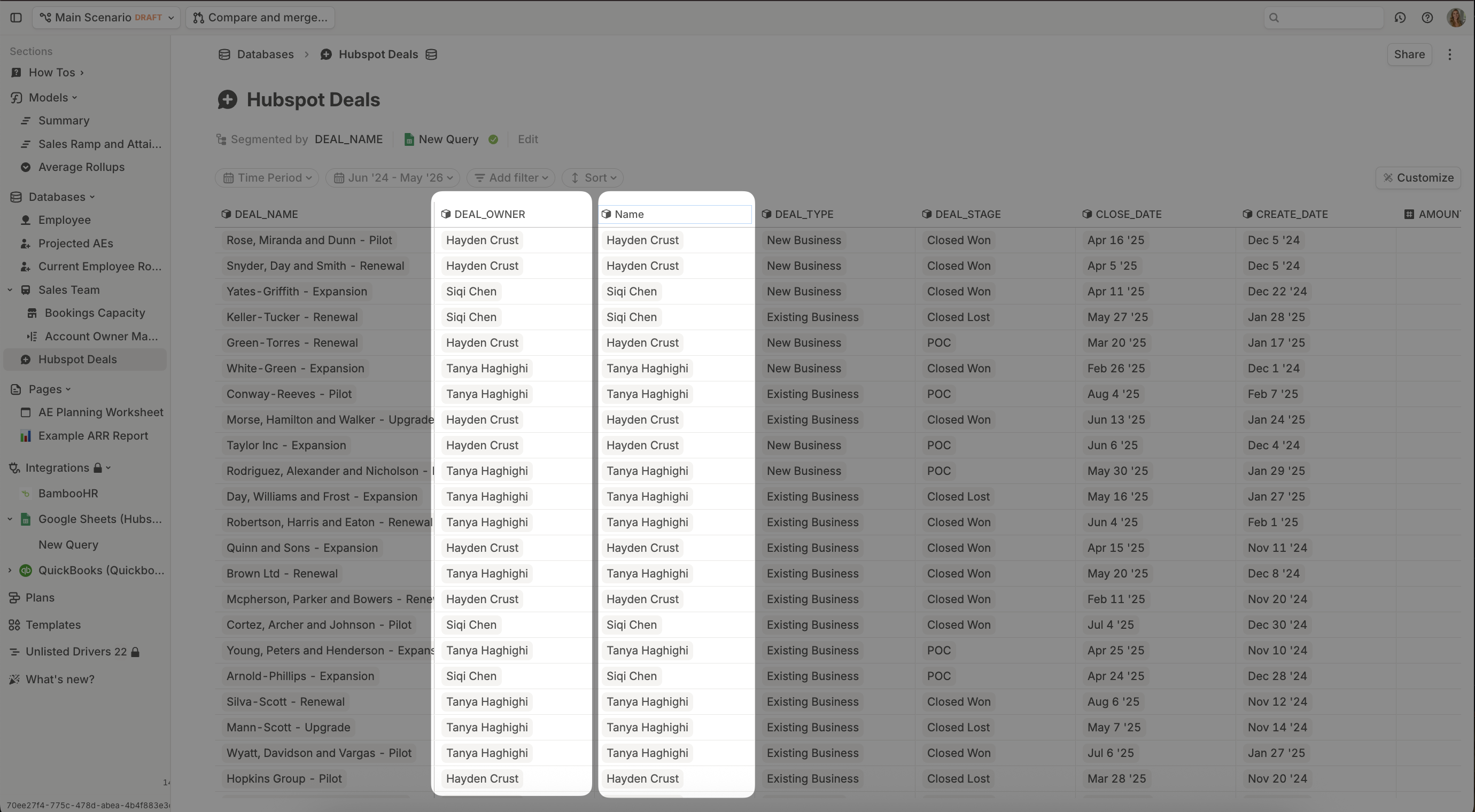
Note: As new employees are hired, you’ll want to revisit the Account Owner Mapping to connect their HRIS record to their CRM record.
Step 2: Add commission rate logic
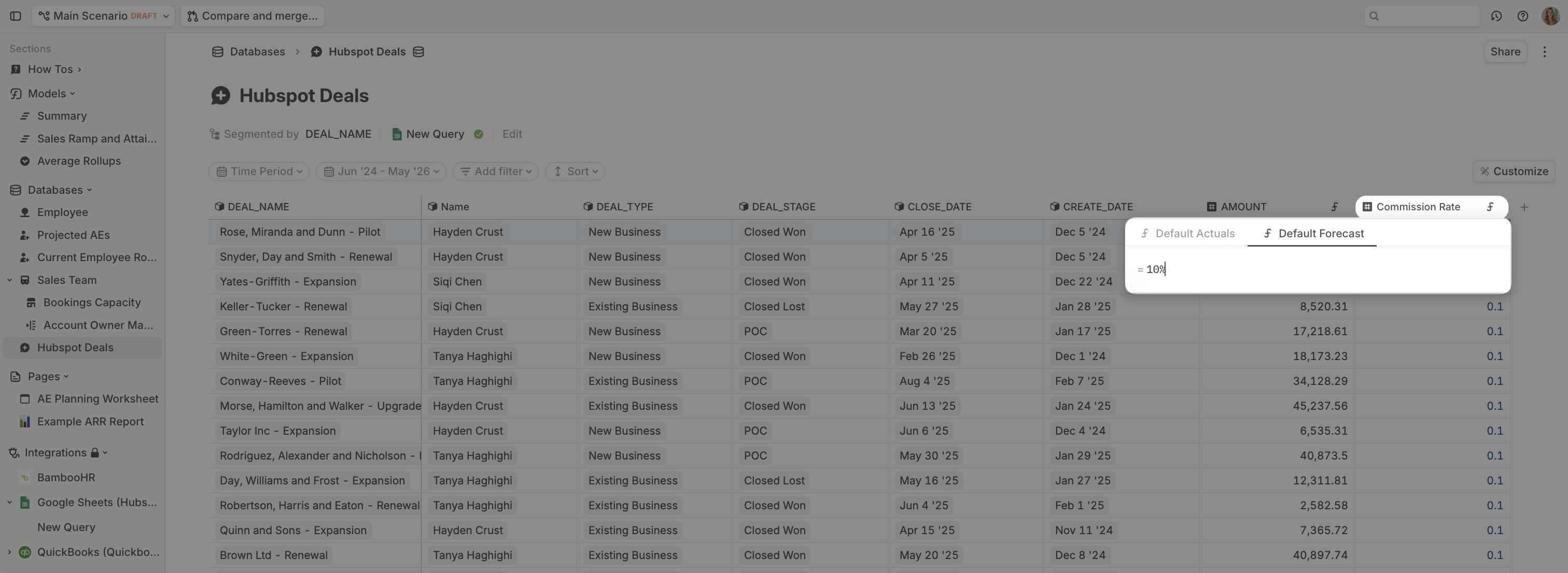
Create a new number driver column in the Deals database called Commission Rate.Option 1: Flat rate commission
To set a flat commission rate %, you can selectAdd default formula from the column header sub-menu and hardcode a percentage.
Option 2: Variable commission rates
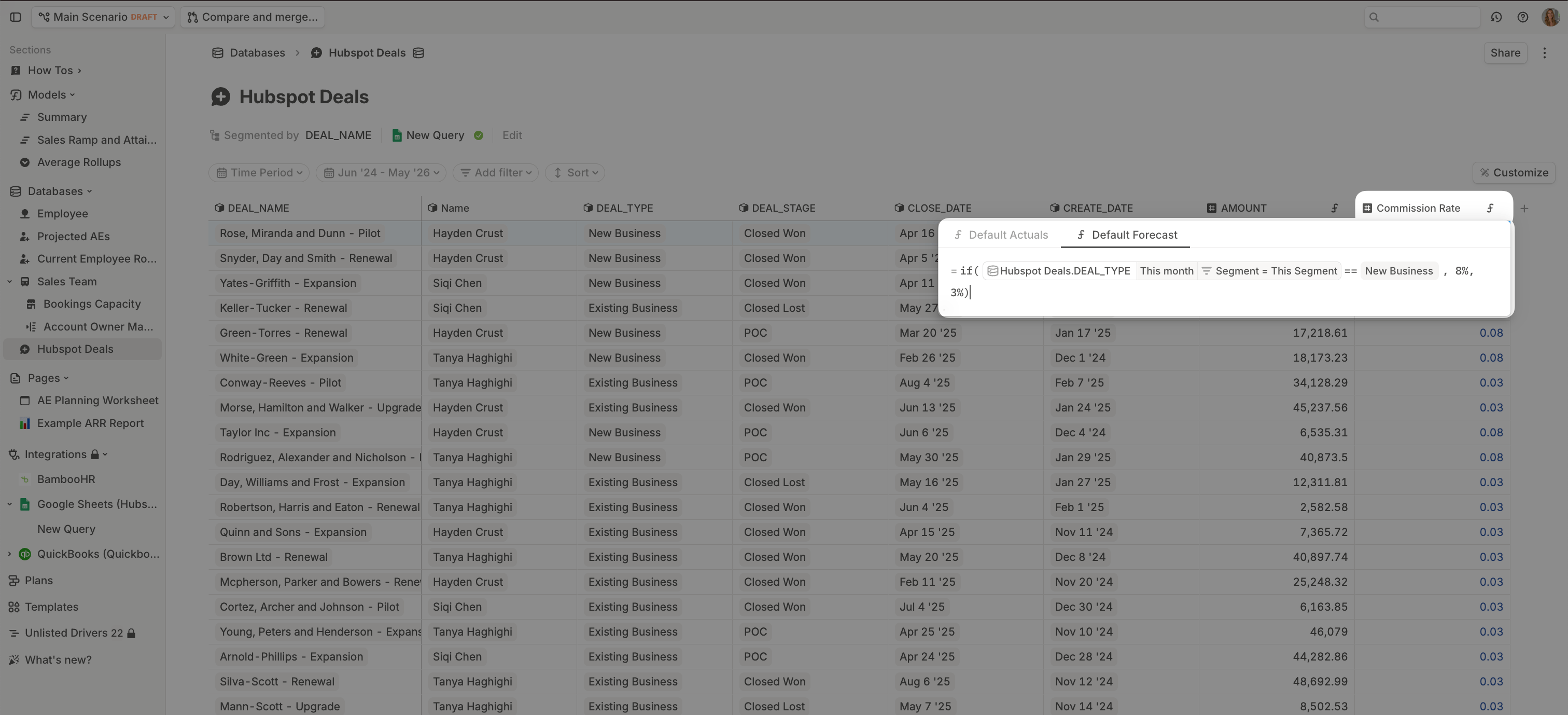
This example demonstrates how you can set assumptions based on dimension values. In this example,New Business deals earn an 8% commission, whereas Existing Business deals earn a 3% commission.
- The formula references the dimension column
DEAL_TYPEwhich only contains the two items:New BusinessorExisting Business. - The logic of the formula reads: if DEAL_TYPE = New Business apply an 8% Commission Rate, otherwise apply 3% Commission Rate.
Step 3: Add payout timing logic
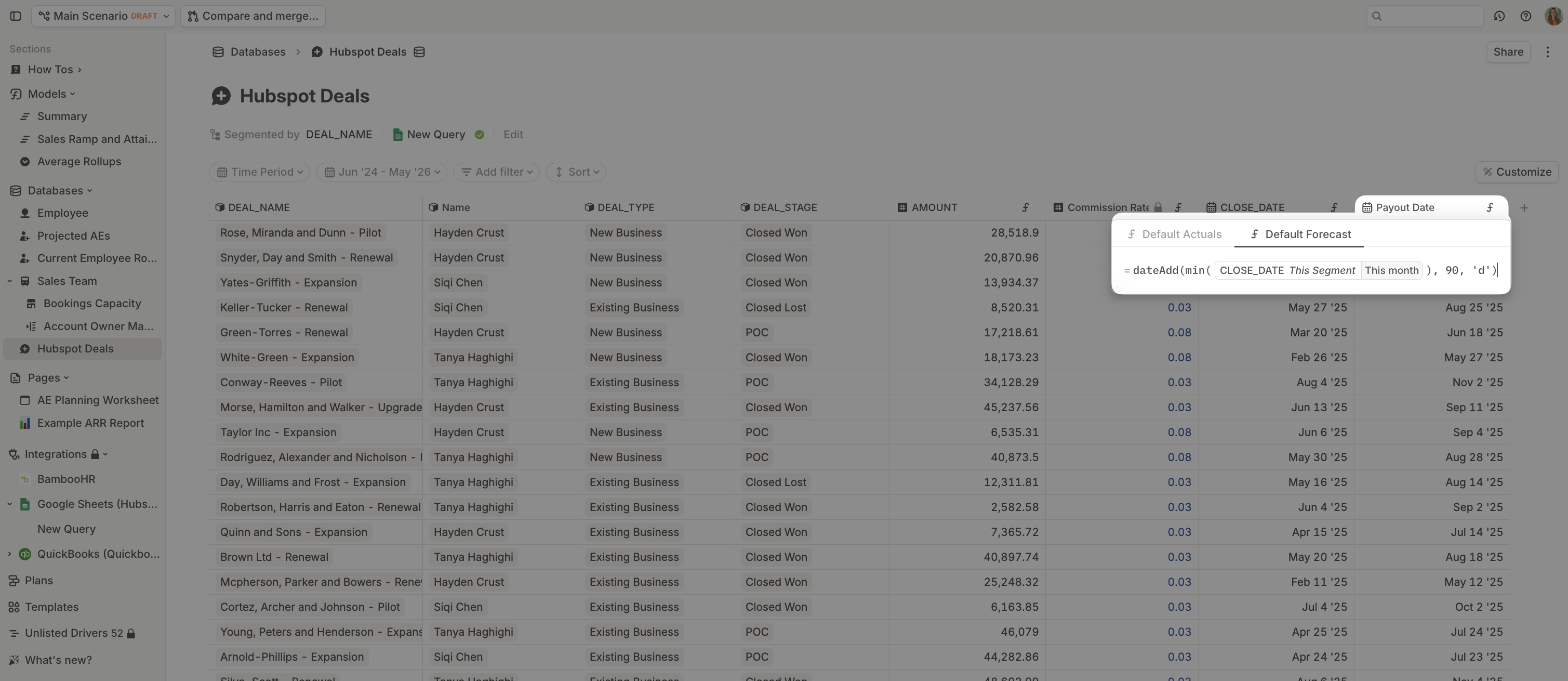
In many organizations, commission payouts are deferred until a contract has been active for a set period. Create a new date driver in your Deals database called Payout Date. UsedateAdd() to add your delay to the deal’s close date. In this example, we assume a 90-day delay.
Step 4: Calculate commissions paid
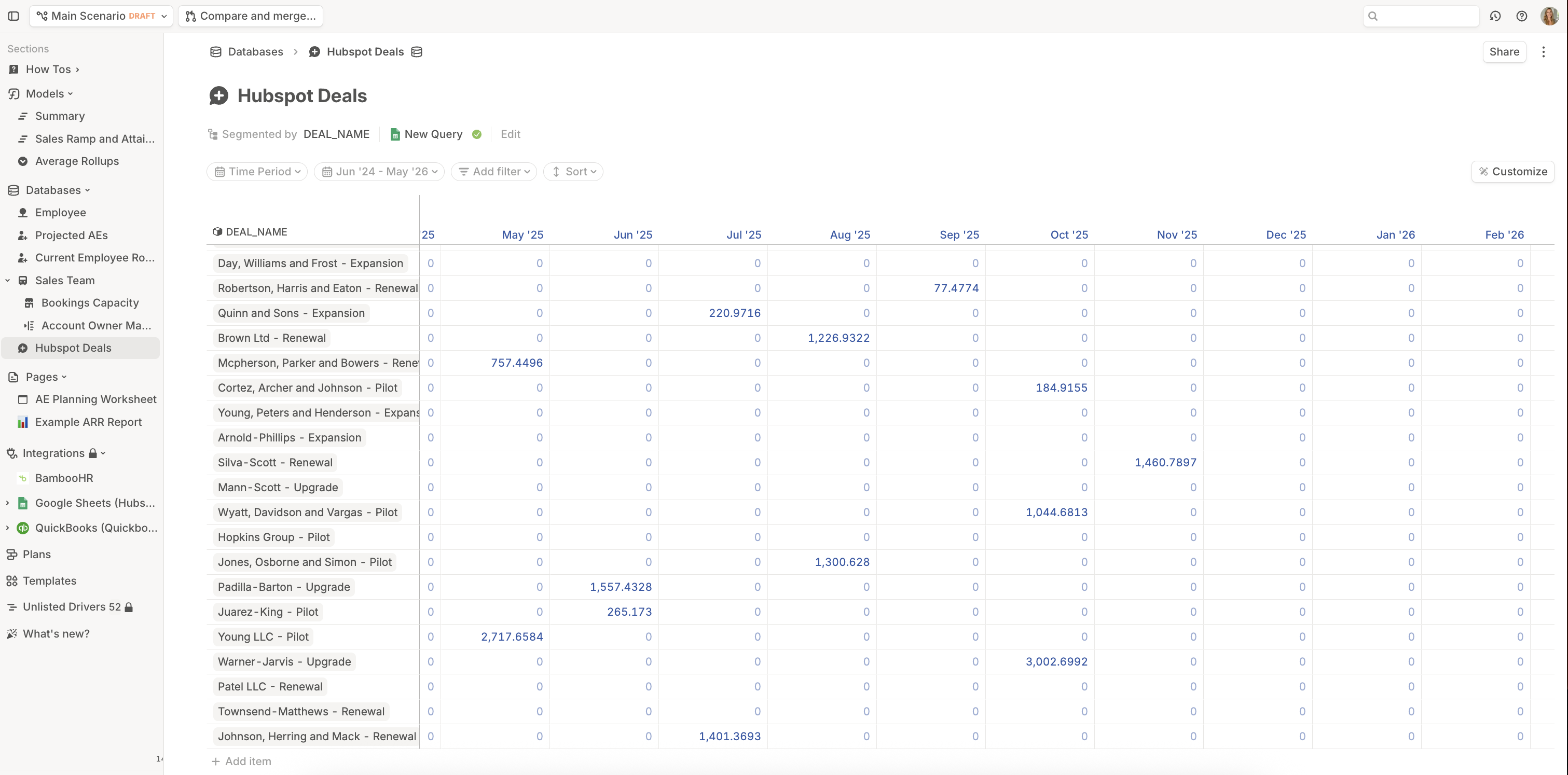
In your Deals database, add a number driver called Commissions Paid. Set its formula to multiply Commission Rate by the closed-won deal amount from the same deal row, then use Payout Date as the timing so the payout lands in the month calculated in Step 3. For example, if your closed-won deal amount driver is called Closed Won Deal Amount, the formula should calculate:Show as time series. This view allows you to check whether the amounts paid land in the correct months.
Step 5: Aggregate commissions by AE
The last step is to aggregate commissions paid by AE. In your Sales Team database, add a number driver for Commissions. Set the formula to sum the Commissions Paid driver in your Deals database whereName is This Name.